Polenta ScreenShotPolenta ScreenShot
 Total HTML Converter
 VisualTrader
 Visuino
 SmartAssembly
 FoxTab Media Player
 CoffeeCup Web Video Player
 Jazler RadioStar
 Polenta ScreenShot (PolentaScreenShot.exe) latest version 2.1.4, Polenta ScreenShot is a simple application that allows you to take screenshots in a snap.
Polenta ScreenShot is a powerful, user-friendly screen capture tool that lets you easily take high-quality screenshots of your entire screen, specific areas, or windows. Whether you need to capture full-screen images or just a particular section of your screen, this app makes it simple with support for various formats, including PNG, JPG, BMP, and TIF. You can quickly copy images to your clipboard or even email them, making it an ideal choice for users who need fast and efficient screenshot solutions.
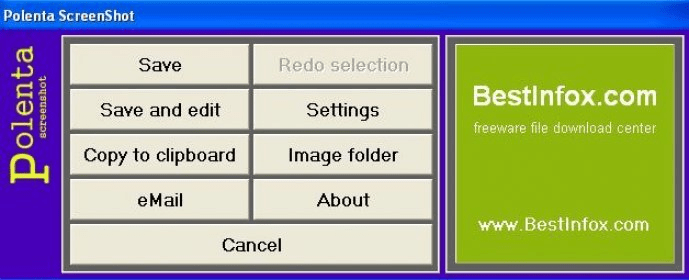
Polenta ScreenShot is designed to be quick and straightforward. It sits conveniently in your system tray, allowing you to control the app directly from there. With customizable hotkeys, you can capture your screen with just a few keystrokes. After capturing an image, the app presents you with a menu that lets you save the screenshot to your chosen folder, copy it to your clipboard, or email it directly. While the app doesn't preview the screenshot right away, you can easily access it once it's saved. Though it lacks features like free-hand screenshotting or borders, it’s perfect for quick, no-fuss captures. Available in English and Italian, it’s a great tool for anyone who needs a fast, no-hassle screenshot tool for everyday use.
Although the user interface might seem a bit outdated and the colors are less than ideal, Polenta ScreenShot excels in ease of use. It’s a no-frills solution for capturing clear and reliable screenshots, making it an excellent option for those looking for simplicity over advanced customization.