OBS StudioOBS Studio
OBS Studio (bunsuy.exe). Free and open source software for video recording and live streaming. High performance real time video/audio capturing and mixing.
Capture, mix, and broadcast your gameplay and multimedia content in real-time with Open Broadcaster Software Studio. Easily record tutorials, streams, and gameplay, and save them in MOV, FLV, MKV, or MP4 formats. Whether you're streaming on Twitch, YouTube, or Facebook, enhance your content with customizable settings like resolution, bitrate, and FPS for a professional touch. Get started with one of the most powerful, free streaming tools on the market!
Open Broadcaster Software Studio (OBS Studio) is an open-source tool designed for content creators who want to stream and share high-quality videos online. Ideal for YouTubers, Twitch streamers, and other social media influencers, OBS Studio enables smooth and high-performance recording and streaming with easy-to-use features. The simple installation process means you can focus more on creating and less on setup.
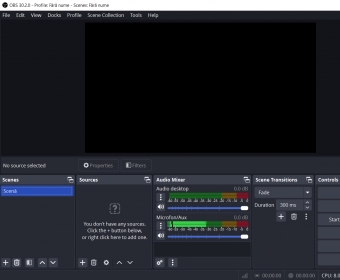
The minimalist interface is intuitive and user-friendly, with clear buttons and customizable theme options to suit your preferences. You can preview scenes and sources before going live, ensuring everything is perfect before sharing with your audience. With options to adjust the theme and button visibility, OBS Studio provides a seamless experience. The program’s modular 'Dock' UI allows you to personalize the layout by rearranging or popping out individual elements for a more efficient workflow.
With its advanced multimedia capturing and mixing capabilities, OBS Studio lets you create content from multiple sources, switch between scenes with custom transitions, and even add personalized stinger video files for a dynamic streaming experience. It supports all major streaming platforms, and for beginners, it offers a range of tutorials to help you get started quickly.
 Indigo Studio
 MRU-Blaster
 ABF Photo Camera
 McAfee LiveSafe
 Daedalus
 SWF 'n Slide Pro
 QMidi
QMidi