ShotSenderShotSender
 DVDSmith Movie Backup
 OPTAC Fleet Viewer
 ADManager Plus Free Tools
 COMPROTware:Testtool
 VSDC Free Screen Recorder
 ODIN Trader Workstation
 Softshare ECS
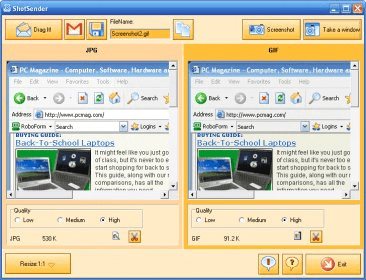
 ShotSender (ShotSender.exe). ShotSender makes it easy to capture your desktop or a particular window and e-mail it.
ShotSender simplifies the process of capturing and emailing your desktop or a specific window with just a few clicks. Whether you need to share a quick screenshot or create a more detailed report, ShotSender allows you to capture your screen, choose your preferred file format, and email it instantly.
Upon launching ShotSender, it automatically captures your desktop, offering screenshots in two formats: JPG and GIF. You can then select the file format that suits your needs—JPG for photographic images and GIF for graphs or standard windows—while adjusting the image quality to High, Medium, or Low for optimal results. With just one click, you can send your screenshot via email with no hassle.