Belltech CaptureXT Screen CaptureBelltech CaptureXT Screen Capture
 IncrediMail Converter Pro
 iWebcam
 XFINITY Connect for Outlook
 Navori Player
 gPhotoShow Pro
 EPS Factory
 gSyncit
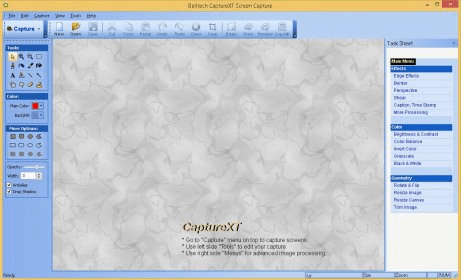
 Belltech CaptureXT Screen Capture (screencap.exe). Belltech CaptureXT Screen Capture is a print screen utility for Windows OS.
Belltech CaptureXT Screen Capture is an all-in-one screen capture utility designed to help you effortlessly capture and edit any part of your screen. Whether you want to take a high-quality screenshot of your desktop, an active window, or a specific area (rectangular, circular, or polygonal), this powerful tool allows you to do it quickly and efficiently. Ideal for creating professional presentations, CaptureXT enables you to make instant edits and enhance your images with ease.
Once you capture your screenshot, you can apply a variety of stunning image effects, such as torn edges, saw edges, shark edges, and wave edges, to add creative flair to your images. You also have full control over the image’s brightness, contrast, and color balance. The software allows you to rotate, resize, and add captions to your screenshots, along with many other advanced editing options. With a user-friendly interface and intuitive controls, you can easily create polished, professional-looking images without any hassle.
Whether you need to save your work in popular formats like JPG, PNG, GIF, or BMP, or share it via email or presentation tools, Belltech CaptureXT Screen Capture offers the flexibility to meet your needs. It’s the ultimate tool for anyone who wants to capture and edit screenshots efficiently while adding a professional touch to their work.