Ashampoo Magical SnapAshampoo Magical Snap
 Virtual Audio Streaming
 Mindomo Desktop
 Liquid Surf
 Postfix Enabler
 Adobe Fuse CC (Preview)
 Bookkeeper
 Callnote
 Ashampoo Magical Snap (ashsnap.exe). Magical Snap 2 is an incredibly powerful tool that will capture and edit anything that appears in your monitor and more!
Magical Snap 2 is a powerful screen-capture and editing tool designed to grab anything on your monitor—including full program windows, multi-monitor images, spreadsheets, scrolling webpages, and off-screen content—all in a single editable image. Perfect for productivity workflows, digital documentation, and high-precision screen capture tasks.
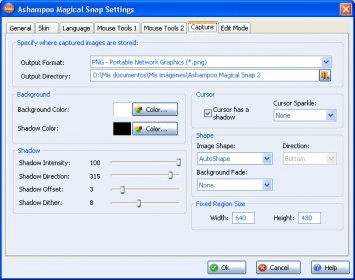
With extensive customization options, you can tailor hotkeys, interface skins, border colors, pencil tools, shadows, markers, and arrows to match your ideal workflow. Magical Snap 2 delivers professional capture flexibility while staying easy to use, making it ideal for creators seeking a reliable screen capture solution for tutorials, remote work, and tech support.
Capture single windows, custom fragments, predefined regions, or free-style shapes. Scrolling windows and off-screen content are handled automatically—no more stitching multiple screenshots. Enhanced editing features like Flip, Mirror, Drop Shadow, Grayscale, Pencil, and advanced mouse tools ensure every capture is polished and ready to share. With full Vista support and export to PNG, MPG, or PDF, it fits seamlessly into any digital workflow.