 SnowFox Screen RecorderSnowFox Screen Recorder
 RentMaster
 JPG/JPEG Photo Converter
 McAfee VirusScan Enterprise
 LPK25 Editor
 Audacious
 eM Client
 Blackboard Collaborate Launche
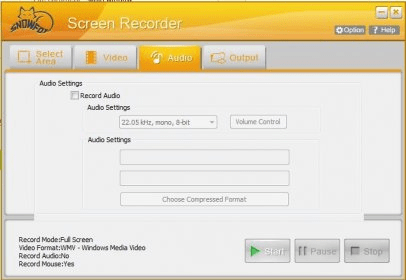
 SnowFox Screen Recorder (ScreenRecorder.exe). SnowFox Screen Recorder is a handy application which allows you to record screen activity in a simple way.
SnowFox Screen Recorder is a powerful, user-friendly tool for capturing your screen activity and audio in high-quality video formats. Whether you're recording tutorials, gameplay, or online videos, this versatile app gives you everything you need to create professional recordings. With support for multiple output formats like AVI, WMV, MP4, SWF, and FLV, it allows you to easily capture your screen or specific areas, along with cursor movements, for an enhanced recording experience.
Designed for ease of use, SnowFox Screen Recorder features an intuitive interface, making it perfect for both beginners and advanced users. Simply select the area of your screen to record, hit the ‘Record’ button, and start capturing your content. You can even record your voice through the microphone to add narration or commentary. Plus, with customizable hotkeys for pause, start, and stop, you have full control over your recordings. Download the free trial today to explore all the features, with the option to remove watermarks upon upgrading to the full version.