 liteCam HDliteCam HD
 GoodOk Mp3 Amr Ogg AAC M4V Con
 FreshTitle
 Stocks Inventory
 PeerGuardian
 Python numpy
 HR Quik
 liteCam Game
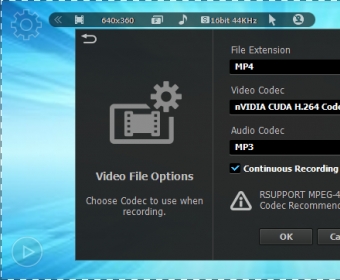
 liteCam HD (info.exe). liteCam HD can capture and record anything on your computer screen in full HD.
LiteCam HD makes it effortless to capture your computer screen in crisp high definition. Whether you’re recording gaming sessions, Skype calls, software tutorials, YouTube reactions, or open-world anime gacha gameplay, this lightweight tool delivers smooth screen capture with minimal setup. It also records plain audio, supports multiple recording modes, and includes a game-specific mode built for stable performance.
Designed with a clean, minimalistic interface, LiteCam HD places essential controls right where you need them. Choose your recording area, hit Rec, or use customizable hotkeys for quick workflow. You can even record your desktop and webcam at the same time—perfect for walkthroughs, tech guides, reaction videos, or productivity tutorials that keep your face visible on screen.
LiteCam HD includes practical editing tools for trimming clips, swapping audio tracks, extracting sound, and adding logos or watermarks. A built-in drawing tool lets you annotate or highlight important details live. Despite its advanced capabilities, the app stays lightweight, affordable, and storage-friendly thanks to its optimized HD output—ideal for creators who want high-quality results without massive file sizes.