Free ScreencastFree Screencast
 FLV to AVI MPEG WMV 3GP MP4 iP
 Python - PyQt4
 MadgeTech Transit
 Skype Preview
 Rising Internet Security
 Orion
Orion Live365 Desktop
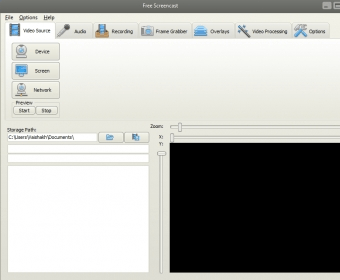
 Free Screencast (Free Screencast Update.exe). Free Screencast can record part of your computer screen and save them as MP4, WebM, AVI, and other formats.
Free Screencast is a versatile screen recording tool that lets you capture parts of your computer screen and save them in popular formats like MP4, WebM, AVI, and more. Whether you need to create tutorials, presentations, or gameplay recordings, this program offers seamless functionality. You can even record video from your webcam or IP camera and add various audio sources, including microphone input.
Enhance your recordings with a variety of artistic filter effects for a polished, professional look. Free Screencast also allows you to overlay text and images to provide additional context or branding. With the time-lapse recording feature, you can capture events over long periods and condense them into fast-paced, dynamic videos. Perfect for creators, educators, and anyone who needs high-quality screen recording.