ScreenshotScreenshot
Screenshot (ScreenShot.exe). Hit your Print Screen key and ScreenShot will save, modify, email, copy to clipboard, print and display your present screen.
Screenshot is a versatile application designed to simplify the process of capturing images from your screen. Whether you're looking to take a quick screenshot with a keyboard shortcut or prefer using the system tray menu, this tool offers a range of flexible options to suit your needs. Capture the full screen, an active window, or a custom area—though note that free-hand screenshotting is not available. Perfect for users who want an easy-to-use, reliable solution for screenshot management.
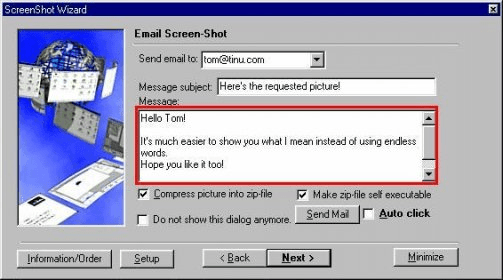
After taking your screenshot, the built-in editor lets you enhance the image by adding borders, painting areas, and adjusting color depth. You can apply special effects such as inverting the image or mirroring it horizontally or vertically. A preview feature lets you see the changes in real-time before saving the image. You can then choose where to store the file, customize its name, and even compress it into a zip file or create a self-extracting archive. The program also allows you to copy the image to your clipboard, print it, or send it via email with a customizable message.
Whether you're a casual user or need advanced screenshot options, Screenshot offers a comprehensive and easy-to-use solution for all your capturing and editing needs.
 Sport Video Player
 Mailmoa
 HiDoctor
 First Name Almanac (tm)
 M6 Processing
 FRx
FRx Chatroulette Desktop