 ImageMagickImageMagick
 Studio
 Nanoheal Client
 MainConcept DTV Decoder Pro
 Gibraltar Loupe Desktop
 abMusic
 Chrysanth Inventory Manager 20
 Sage Evolution
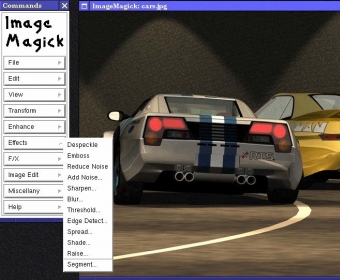
 ImageMagick (IMDisplay.exe) free download, Use ImageMagick® to create, edit, compose, or convert bitmap images.
ImageMagick is a versatile open-source software suite designed for creating, editing, composing, and converting bitmap images. With support for over 200 image formats, including PNG, JPEG, GIF, HEIC, TIFF, DPX, EXR, WebP, Postscript, PDF, and SVG, ImageMagick is your go-to solution for any image manipulation task. Whether you need to resize, rotate, flip, mirror, distort, shear, or transform images, this tool can handle it all. You can also adjust image colors, apply special effects, and add text, lines, polygons, ellipses, and Bézier curves to your images. Perfect for developers and creative professionals alike, ImageMagick gives you the power to modify images dynamically and automate processes with ease.
Designed for command-line use, ImageMagick is also accessible from a variety of programming languages, including Ada, C, Java, Python, PHP, Ruby, and more. This flexibility allows you to integrate ImageMagick’s functionality into your own programs and applications. Whether you're working on a simple task or a complex automation project, ImageMagick’s language interfaces provide all the tools you need for dynamic image manipulation. Thanks to its multi-threaded architecture, ImageMagick can handle large-scale images, including mega-, giga-, and tera-pixel sizes, ensuring high performance even with demanding tasks.
Unlock the full potential of your images with ImageMagick’s advanced editing capabilities and powerful conversion options. Whether you're creating intricate designs, automating image processing workflows, or simply converting between formats, ImageMagick offers the flexibility and speed you need to get the job done.