 Windows 10 Firewall ControlWindows 10 Firewall Control
 AALog
AALog AVOBASE
 TORA
TORA Microsoft SQL Server Database
  Bytescout PDF Renderer SDK
 GSA Buchhalter
 Social Pro
 Windows 10 Firewall Control (Windows8FirewallControl.exe). Windows 10 Firewall Control is a network activity-controlling tool that will add to your PC...
Advanced Firewall Control for Complete App-Level Network Protection on Windows
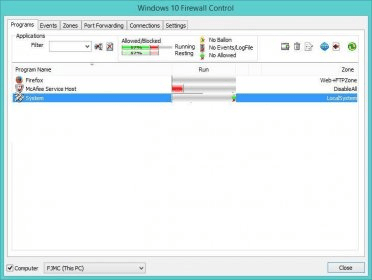
Windows 10 Firewall Control delivers full command over every incoming and outgoing connection on your PC, offering the precision the built-in Windows firewall lacks. Manage network permissions per application across a wide range of customizable “Security Zones,” making it easy to allow, block, or fine-tune traffic. This tool is ideal for users seeking stronger cybersecurity, smart home network protection, and improved PC performance.
With more than 30 predefined security zones, Windows 10 Firewall Control lets you tailor traffic rules to match your workflow—whether gaming, remote working, or streaming. You can review detailed logs, inspect active connections, and create new zones based on your own configurations. Designed for both advanced users and beginners ready to level up their protection, it brings clarity and control to your entire network environment.
Set global defaults for new applications, secure LAN traffic, password-protect the control panel, and streamline configuration with clear rule management. The built-in Port Forwarding feature connects directly to your router, allowing you to open or close ports for specific apps only—perfect for optimizing online gaming, remote access tools, and media servers. Its comprehensive manual helps shorten the learning curve, ensuring you can safely monitor and optimize all traffic without accidentally blocking key services.
Whether you need granular app-by-app settings, multiple zone-based permissions, or full oversight of local and remote connections, Windows 10 Firewall Control offers unmatched flexibility. Compatible across all Windows platforms including Windows 10, it adapts to your real-world needs while reinforcing protection against malware, unwanted access attempts, and other online threats.