R for WindowsR for Windows
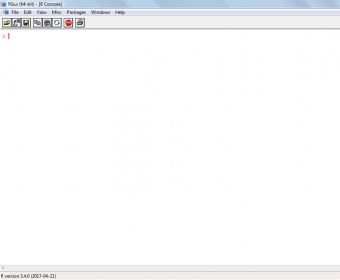
R for Windows (Rgui.exe). R for Windows is a GUI where you can write code to perform graphical and statistical analysis on data sets.
R for Windows is a powerful and intuitive GUI software for writing R code and performing complex statistical and graphical analysis. With the rise of Big Data, Data Analytics, and Data Science, leveraging customer data for business growth has never been more critical. R is a key tool for turning raw data into actionable insights, and R for Windows provides the ideal environment to work with it. This guide will take you through its features and benefits.
If you're working with large datasets or even small samples, you need a reliable software that can handle all the data efficiently. R for Windows is designed to do just that. The program features an easy-to-use console window where you can write and execute R code seamlessly. The intuitive interface ensures that tasks like printing code, saving workspaces, and managing computations require minimal effort. For even better data management, consider using R-Studio, which adds additional features on top of R for Windows.
R for Windows comes with built-in manuals to help you get started quickly. You can easily install, update, and load packages directly from the console. The GUI is highly customizable, allowing you to adjust settings such as pager style, font size, row and column layout, and even color schemes. Additionally, you can save your scripts, making them portable for use on any other system with R installed.
In conclusion, R for Windows is a must-have tool for anyone involved in statistical analysis or data science. Whether you’re a professional in data analytics or just getting started, this software is the perfect choice to elevate your data processing and analysis capabilities.
 E-Futures International Demo
 Foxtel Play
 FotoMorph
 iTVmediaCenter
 Cabbage
 VaryView
 PowerFlashPoint