 AnyMP4 Screen RecorderAnyMP4 Screen Recorder
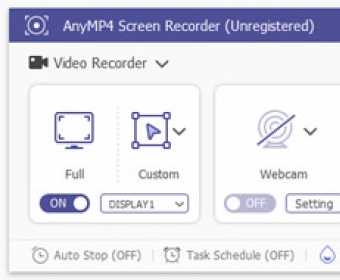
AnyMP4 Screen Recorder (AnyMP4 Screen Recorder 32x.exe). AnyMP4 Screen Recorder is used to record video and audio on your computer.
Unlock the power of seamless multimedia recording with AnyMP4 Screen Recorder. This versatile tool lets you capture high-quality video, audio, and screenshots on your computer for any purpose—be it creating educational content, recording meetings, or saving streaming videos. Whether you're at home or the office, it’s designed to cater to all users with its intuitive interface and flexible features.
AnyMP4 Screen Recorder offers three main functions—Video Recorder, Audio Recorder, and Screen Capture—each clearly accessible from the user-friendly interface. It's perfect for recording webinars, tutorials, gameplay, and online meetings with ease. Plus, you can personalize your recordings by adding text, annotations, logos, or watermarks. Whether you're a content creator, professional, or casual user, this tool elevates your multimedia experience to new heights.
Capture video in high definition, including your webcam feed and screen content, whether it's the full screen, a specific window, or a custom area. With the ability to record sound from your microphone or system audio, you can ensure that every audio detail is included in your recordings. Create crystal-clear images by selecting specific areas of your screen for screenshots, all in various formats such as PNG, JPG, and BMP.
 Sperry Software - VCard Conver
 Source Edit
 Screen Beagle Pro
 TIDAL
TIDAL GTCM
GTCM Chirp
Chirp Ultima Steganography