 PrtScrPrtScr
 Digigram np Runtime m
 DreamLight Photo Editor
 Tag Editor
 DBAdapter
 Dynamikode USB Security Suite
 Transcriptions
 Digital TV 2050
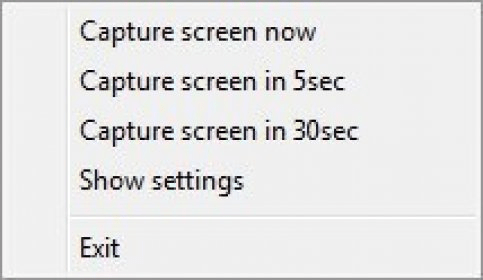
 PrtScr (PrtScr.exe). PrtScr is a simple, nice and handy screen capture application.
PrtScr is a simple, efficient, and user-friendly screen capture tool designed as a smoother, lighter alternative to the default Windows Snipping Tool. Ideal for productivity, remote work, and quick documentation, it offers flexible capture options without the clutter of heavy editors. Its minimal design makes it perfect for users who want a clean workflow and reliable performance.
Though PrtScr relies on the default Windows Paint app for editing, it remains extremely easy to use—making it a great choice for beginners, students, and professionals. You can save screenshots as JPG, JPEG, BMP, or PNG, including transparent PNGs, and adjust JPEG quality. Customizable hotkeys, fast operation, and low system impact make it an excellent pick for lightweight screen capture, screen recording alternatives, and quick desktop documentation.
If you want a free, straightforward capture tool and don’t require built-in upload features, PrtScr delivers dependable performance with minimal setup.