 Screenshot CaptorScreenshot Captor
 Quick Heal AntiVirus Pro
 Transcriber CE
 MEO Encryption Software
 avast! SecureLine VPN
 Insights
 WForex FX LITE for MT4
 Webinaria
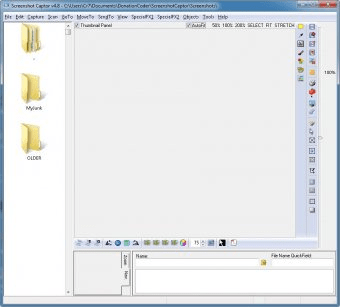
 Screenshot Captor (ScreenshotCaptor.exe). Screenshot Captor is a tool designed for grabbing, manipulating, annotating, and sharing screenshots.
Screenshot Captor is a top-tier, free screenshot utility that offers advanced features for capturing, annotating, and editing images. Perfect for users seeking a versatile and easy-to-use tool, this app supports a variety of capture modes and file formats, making it ideal for all your screenshot needs.
With its simple, intuitive interface, Screenshot Captor is suitable for both beginners and experienced users. Whether you need to capture your entire screen, a specific window, or a custom region, it’s all possible. Plus, with a convenient “quick bar,” you can snap screenshots without even needing hotkeys.
What sets Screenshot Captor apart is its powerful image editing capabilities. While designed primarily for screen capture, this tool offers sophisticated image manipulation features that rival complex photo editing software. Whether you’re annotating, enhancing, or creating custom images, Screenshot Captor has everything you need—all for free.