iSpring Free CamiSpring Free Cam
 iiCreator
 iForm
iForm LPOR Forms Express 6
 KSAFone
 DJ Studio Pro
 Total Video Player by DVDVideo
 Microsoft Office Live Meeting
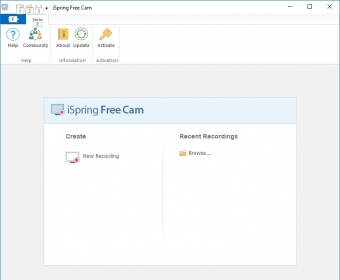
 iSpring Free Cam (freecam.exe). iSpring Free Cam can record video directly from your computer’s screen. It has a nice and trendy interface.
iSpring Free Cam is a powerful tool for capturing still shots of your desktop and applications, with the ability to record audio from your microphone. You can easily customize the capture tool to fit specific shapes, free forms, or pre-defined windows, making it an ideal choice for creating video lessons and tutorials. Once recorded, you can add custom audio and export or share your content effortlessly.
With iSpring Free Cam, screen recording is a breeze. Its sleek, user-friendly interface requires no complex setup, so you can start recording with just a click. Simply choose the screen area to capture, follow simple instructions, and the recording begins automatically after a brief countdown. The tool also tracks mouse movements and clicks, adding value to your content.
After recording, you can make simple edits with the built-in editor, which allows you to trim your footage. While it doesn’t support advanced editing like cropping or rotating, you can still enhance your video by adjusting the audio quality—removing background noise, adjusting volume, and adding fade-in or fade-out effects. The resulting videos can be saved in WMV format or directly uploaded to YouTube and shared on social media platforms like Facebook, Twitter, and LinkedIn.
Though iSpring Free Cam lacks features like webcam recording, its ease of use and powerful functionality make it a great choice for simple projects such as software showcases, educational tutorials, or instructional presentations—all at no cost.