Power Screen CapturePower Screen Capture
 Cutting Master 2
 Create Multiple QR Codes Softw
 Total Video Converter
 eiPower Saver Solution
 Livestream Producer
 Track Your Trades
 Standard ERP
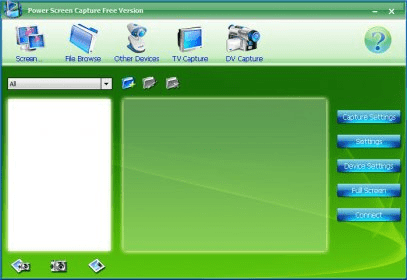
 Power Screen Capture (PowerScreenCapture.exe). With Power Screen Capture, you can capture screen from your desktop with high quality.
Power Screen Capture 7.0 delivers a complete, easy-to-use solution for capturing content from your Windows desktop, TV tuners, DV devices, USB cameras, and more. Designed for both beginners and professionals, it provides smooth performance, intuitive controls, and reliable outputs—ideal for productivity workflows, video tutorials, and high-resolution media tasks.
With its simple interface, you can capture full screen, active windows, specific objects, or custom regions. Advanced settings let you fine-tune video, audio, auto-shot, and overlay options, while built-in file management keeps your captures organized. This all-in-one tool is powerful enough for creators yet streamlined for everyday users, supporting popular output formats and optimized performance across Windows 2000/2003/XP and Vista. It’s also great for users searching for efficient screen recording for work, lightweight screen capture for tutorials, and high-quality desktop video tools.
Power Screen Capture 7.0 also includes device configuration options such as TV input type, country code, frequency override, and multiple encoder profiles. Motion detection allows sensitivity and alarm adjustments, adding extra utility for monitoring or automated capture workflows.