DuckCaptureDuckCapture
 FILEminimizer Pictures
 1AVCapture
 Loan Calc
 EC Software TNT Screen Capture
 FFsplit
 Python
 ezTimeSheet
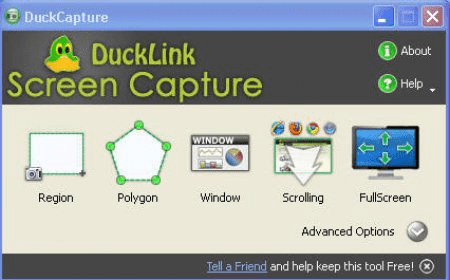
 DuckCapture (DuckCapture.exe). DuckCapture comes with four capture modes that make screen capture easy!
Capture stunning screenshots with ease! DuckCapture offers 4 versatile capture modes for quick and efficient image capture on your computer desktop, including Region, Window, Scrolling, and Full Screen options. Set automatic file naming conventions and hotkeys for fast access to different capture types. Plus, you can enable auto-update and auto-run features on Windows startup for seamless performance.
DuckCapture simplifies screen capture by offering four unique modes to suit all your needs. Whether you're capturing a specific window, a selected screen region, or the full contents of a long, scrolling webpage, DuckCapture has got you covered. You can even customize your captured area or add multiple regions to one image for more detailed screenshots. Enhance your captures further by adding annotations, text, or other informative marks directly on the image. When done, save your screenshot to a file, copy it to the clipboard, or print it right away. For more advanced usage, extend DuckCapture's functionality with custom scripts to upload or send your captures via email or FTP.