 WinSnapWinSnap
 Sage 50 Complete Accounting
 Autodesk Map 2004
 Twitterlicious
 KGL for Windows
 FastSearch
 Capture My Screen
 Outpost Firewall Pro
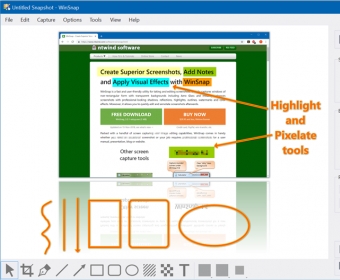
 WinSnap (WinSnap.exe). WinSnap lets you quickly capture and edit screenshots of your desktop content.
WinSnap is a powerful and easy-to-use tool that lets you capture any part of your screen with precision. Whether you want to grab a screenshot of an active window, a specific region, or your entire screen, WinSnap makes it simple. Plus, with customizable hotkeys, you can capture images faster than ever.
But WinSnap doesn’t stop at capturing images. It also offers a comprehensive suite of editing tools, allowing you to enhance your screenshots. You can highlight areas, add shapes like lines and rectangles, apply stunning effects such as shadows and reflections, and even watermark your images. Advanced features, such as support for PNG transparency and alpha-channel, make it even more versatile. Capture multiple screen objects simultaneously using the “Object” mode, just by pressing the Control key. All of this is available in a clean, intuitive interface that’s easy for beginners to master.
In conclusion, WinSnap is a feature-packed and user-friendly screen capture tool that simplifies the process of taking, editing, and customizing screenshots. If you need an efficient, high-quality screen capture solution, WinSnap is definitely worth a try.