Desktop Screen RecordDesktop Screen Record
 WirelessConnect
 Desktop SMS Sender
 ADManager Plus
 Chief Architect Premier X7 (64
 world TVRT Special Edition
 TX16Wx Software Sampler
 Viewer for Gmail with notifica
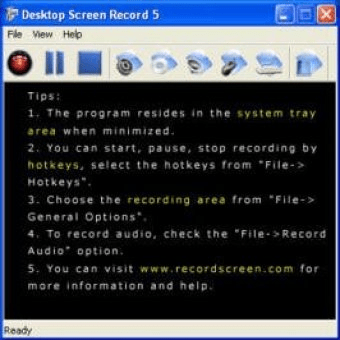
 Desktop Screen Record (dsr.exe). Desktop Screen Record 5 is a video screen capture screen recording tool to record screen activities and sounds.
Desktop Screen Record is a user-friendly, intuitive application that allows you to easily record your screen with both video and audio. Whether you need to capture full-screen activity or a specific area on your desktop, this simple tool offers a seamless recording experience. You can also customize how the cursor appears during the recording process and adjust video and audio settings to meet your needs.
Perfect for beginners and advanced users alike, Desktop Screen Record provides a variety of customizable options. Choose from different compression formats, video quality settings, and audio formats. You can even define your preferred hotkeys or control the program from the system tray for added convenience. If you need any guidance, a detailed help file is available to assist you with all the features and settings.