 LightShotLightShot
 QuickMark
 SuperBeam
 Microsoft Office Converter Pac
 AI RoboForm
 NTI Media Maker Express
 Easy Email Sender
 ButtonBass Piano
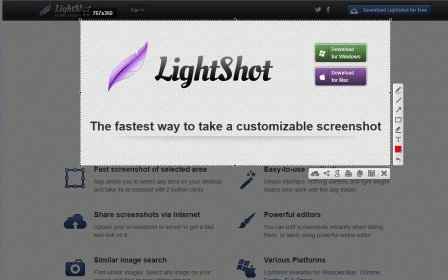
 LightShot. LightShot captures any area of your screen in just a few mouse clicks.
LightShot allows you to capture any area of your screen with just a few clicks. Whether you're capturing a specific portion of your screen or your entire display, this easy-to-use tool offers full customization options. Add text boxes, shapes, arrows, lines, and other clipart elements to your screenshot before saving it as either a JPEG or PNG file. It’s the perfect solution for quick, high-quality image edits and captures on your desktop.
While LightShot supports only JPEG and PNG formats, its powerful editing features more than make up for this limitation. Before saving your capture, you can annotate, highlight, and emphasize key parts of your screenshot. Whether you're capturing important details or pointing something out, the ability to edit in real-time ensures your screenshot is perfect every time. You won’t need additional photo editing software—everything you need is in one place!
LightShot is an ideal tool for anyone who needs quick and easy screen captures, whether for work or personal use. The intuitive interface makes the entire process fast and efficient, allowing you to focus on what matters most—capturing and sharing your screen content. Best of all, it’s completely free, making it a must-have tool for anyone who frequently takes screenshots.