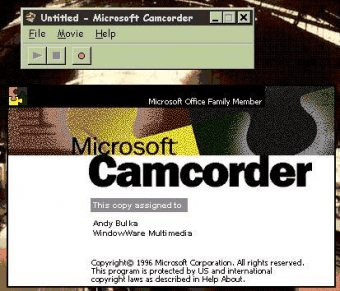
 Microsoft CamcorderMicrosoft Camcorder
 Regex Coach
 Check-Inn for Windows
 Subtitle Edit
 TIKTOK
 MR Gate
 Quiz Builder
 Outlook Express Mail Alert
 Microsoft Camcorder (MSCAM.EXE). Microsoft Camcorder is a screen-capture technology that allows easy creation of movies.
Fast, simple screen-capture technology for creating shareable movies on any Windows PC
Microsoft Camcorder is a lightweight yet powerful screen-capture tool that records on-screen actions and turns them into portable movies. Ideal for tutorials, demos, and productivity training, it saves recordings as .avi files or exports them as standalone .exe movies that anyone can play—no additional software required. It’s perfect for users searching for the best free screen recorder for PC, how to capture desktop video, or easy screen recording for tutorials.
This guide walks you through creating a sample .avi movie and generating a distributable .exe file for users who do not have Camcorder installed. Although not included with Microsoft Office 2000, Microsoft Camcorder continues to function if already installed, and must be set up manually before use.
Install Camcorder
1. Double-click the file Camcordr.exe in the \Valupack\Mscam folder on the Microsoft Office compact disc.
Features:
• Record screen events and convert them into portable movie files
• Save videos in .avi format or export as standalone .exe movies
• Share executable recordings that run without installing Camcorder
• Simple workflow for creating tutorials, walkthroughs, and training clips
• Works with existing Office installations when manually installed