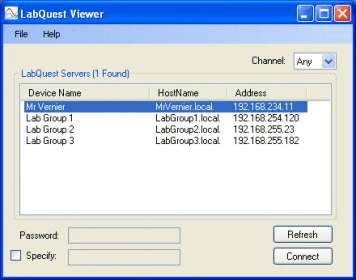
LabQuest ViewerLabQuest Viewer
LabQuest Viewer (LabQuestViewer.exe). When LabQuest 2 is connected to a computer wirelessly or via USB...
LabQuest Viewer enables seamless wireless connection to your LabQuest 2, allowing instructors to project the device’s screen to the entire class. Whether connected via USB or Wi-Fi, the software enhances your teaching experience by offering full control and display capabilities from a Windows computer.
With LabQuest Viewer, instructors can demonstrate experiments, monitor student activities, and facilitate collaborative learning by projecting the LabQuest 2 screen. Students can also use the app to share their work with the class, fostering engagement and interaction in the learning environment.
LabQuest Viewer is compatible with both LabQuest 2 and the original LabQuest when connected wirelessly via a Wi-Fi adapter, offering versatile options for classroom and laboratory setups.
 BARCODE
 CutViewer Mill
 monet
monet Virtual Dj Studio
 Rhino
Rhino gvSIG desktop
 ShareTrackin ME