WinDjViewWinDjView
 Touch Trades Terminal
 WOLFCODERS ScreenSnag
 GNU Privacy Guard
 eBound
 VoipDiscount
 Chronicle
 Kindle Previewer
 WinDjView (WinDjView.exe). Though DjVu files have proved to be a type of digital document that provides a high level of performance thanks...
DjVu files are known for their advanced compression technology, providing high-quality performance for digital documents. However, they often go unnoticed due to the difficulty of viewing them with standard image viewers. WinDjView is here to change that. This powerful tool not only lets you view DjVu files in their full glory, but also enables you to convert them to popular image formats like JPG, BMP, PNG, or TIFF, making them easier to share and manage.
WinDjView features a user-friendly tabbed interface, allowing you to open multiple DjVu documents simultaneously. Its side panel shows thumbnail previews of all pages, making navigation quick and simple. Whether you prefer a continuous, single-page, or two-page view, the app provides the flexibility to suit your reading style. You can zoom in on pages for more detail and use the magnifying glass tool for a closer look. For complex documents, WinDjView even lets you view and toggle between the document's foreground and background layers (perfect for text-based files but may not be as effective with detailed images).
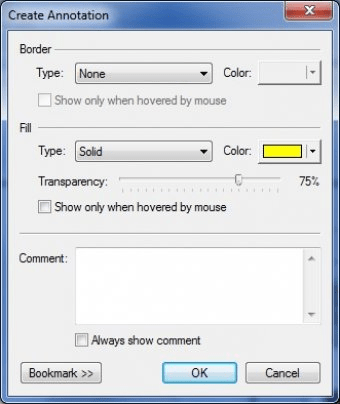
Besides viewing, WinDjView also offers basic yet useful editing features. Rotate pages, adjust brightness, contrast, and gamma, and add bookmarks or annotations for easy reference. If your DjVu file includes a text layer, the built-in search tool allows you to quickly find specific text strings. Best of all, WinDjView is an open-source, free-to-use software that makes managing DjVu files simple and accessible for everyone.