 Batch Picture ResizerBatch Picture Resizer
 MinosWeb Systray
 OpenMG Jukebox
 BlockCAD
 AutoCAD DWG to Image Converter
 Bitdefender Antivirus Free Edi
 hMailServer
 butt
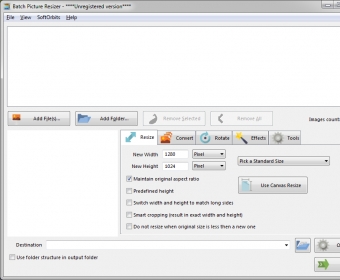
butt Batch Picture Resizer (PicResizer.exe). Batch Image Resizer can be used to resize, convert, flip, mirror, and rotate multiple pictures.
Batch Picture Resizer streamlines bulk photo editing with quick image resizing, format conversion, rotating, flipping, mirroring, and simple enhancements. Designed for speed and clarity, it loads individual files or entire folders, displaying everything as thumbnails for easy selection. Ideal for creators, photographers, and businesses looking for a reliable bulk photo editor or high-quality image optimization tool.
Use built-in presets or define custom resolutions to resize images precisely. Standard resolutions, device-specific profiles (iPod, iPhone, Sony PSP, HD TV), and percentage-based resizing help you work faster—perfect for productivity workflows, social media automation, and e-commerce photo management. Additional parameters let you switch width and height, lock predefined dimensions, or avoid enlarging images beyond their original size.
Batch Picture Resizer supports all major formats (JPG, GIF, BMP, PNG, TIFF) and allows DPI adjustments and JPEG quality control. Rotate clockwise or anticlockwise, mirror horizontally or vertically, or set a custom degree of rotation with selectable interpolation and overflow methods. Watermark, rename with prefixes/suffixes, apply auto-balance, or convert to grayscale to enhance consistency across large image sets.