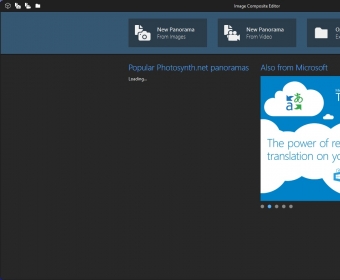
 Microsoft Image Composite EditorMicrosoft Image Composite Editor
 proDAD Adorage
 ProCoder
 Child Control
 AltaCast
 DirtyHandKeys
 MAGIX Music Maker 2014
 oRipa Screen Recorder
 Microsoft Image Composite Editor (ICE.exe) free download, latest version 2.0.3.0...
Microsoft Image Composite Editor is a powerful yet easy-to-use tool designed to help you create breathtaking panoramas from a series of pictures or video frames. With its intuitive, wizard-like interface, it’s perfect for users of all experience levels. This free utility seamlessly integrates with Adobe Photoshop, Microsoft Deep Zoom, and Photosynth, allowing you to save your panoramic creations in a variety of high-quality formats.
Creating panoramas is as simple as 1-2-3 with this software. First, you import your source images and arrange them to your preference. Whether you choose to adjust overlap, angular range, and layout yourself or let the program do it automatically, you’ll have full control over how your panorama is structured. The second step, "Stitch", aligns and blends your images together, automatically finding matching elements between adjacent images for a smooth transition. You can further refine your panorama by adjusting orientation or projection type.
The next step lets you crop any unnecessary borders and fill in any gaps using the program’s automatic completion feature, which works by predicting and filling in pixels. Finally, export your newly created panorama as a JPEG, TIFF, PNG, BMP, or PSD (Photoshop) file. If you want to come back and edit your project later, save it as an SPJ file, ensuring you can continue enhancing your panorama with ease.