 sPlansPlan
sPlan (sPlan70.exe). sPlan is a software with already many thousands enthusiastic users.
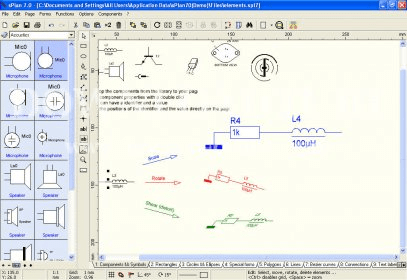
Create detailed circuit schematics and diagrams with ease using a dedicated development environment. Access a library full of templates and elements, and import or export data in various formats like BMP, JPG, GIF, EMF, and SVG.
Our intuitive software makes designing circuits simple and efficient. You can easily drag components from an extensive library and place them on your circuit diagram with a user-defined grid capture. Move, rotate, scale, or shear elements to fit your design needs. Group components for simpler workflows and use common clipboard functions to copy, cut, and paste sections of your diagram. With special features like automatic component numbering, component lists, and variable usage, even beginners can create professional-looking circuit diagrams quickly.
The robust component library includes everything you need, from diodes and resistors to switches and transistors. Drag and drop these elements into your schematic, and if something is missing, you can create your own component and add it to the library. Customize the library’s appearance to suit your preferences, including adjusting column widths or the number of displayed columns. You can even create new libraries on network drives for collaborative work with multiple users.
 Oracle Client
 Hide My IP
 UltimaSound II
 Social Lite
 SolveigMM Video Splitter Home
  Varietas
 BBox
BBox