CopperCubeCopperCube
 PayworldDT
 FREE EML File Viewer
 Clipper
 avast! SecureLine VPN
 MP3-Converter
 Thumbs Up Image Database
 Install DockStar
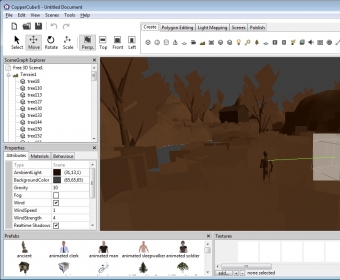
 CopperCube (CopperCube.exe). CopperCube is a 3D game engine that lets you create HTML 5 websites, WebGL apps, Android apps, and programs for Windows and Mac.
CopperCube is an intuitive 3D game and scene creation tool designed for anyone looking to build interactive worlds. Whether you’re a game developer, hobbyist, or designer, CopperCube empowers you to easily craft dynamic 3D environments and export them across various platforms. With its powerful editor, you can add pre-designed backgrounds, 3D objects, textures, and even import assets from other programs to enhance your projects.
Perfect for both beginners and professionals, CopperCube lets you build and modify a wide variety of 3D elements. You can create geometric shapes, set up point lights, cameras, skyboxes, and even add interactive components like hotspots and 3D sound. Whether you're working on a complex game or a simple interactive scene, CopperCube offers everything you need to bring your vision to life. Plus, it supports a range of lighting options to fit your scene’s style, allowing you to customize each project in detail.
Save your work as CopperCube documents and revisit them for future editing. Once you're satisfied with your creation, you can publish your scene as a Flash (.SWF), Windows Application (.EXE), or WebGL scene (.HTML). Export your projects to popular formats like Irrlicht Scene, COLLADA, or Maya to use in other software. The demo version comes with a watermark and a 14-day trial period, perfect for getting started before committing.