Advanced Security for OutlookAdvanced Security for Outlook
 Secure Code Generator
 All Media Library
 Nimbuzz
 Gmail Notifier Plus
 DesignDoll
 SandRibbon for Silverlight
 MeetMe Outlook Add-In
 Advanced Security for Outlook (setup_outlook_addon.exe). Use Advanced Security for Outlook to learn what programs are trying to access Microsoft Outlook...
Take full control over MS Outlook’s security by managing which applications and processes can access your data. Easily set permanent access permissions while eliminating intrusive security notifications.
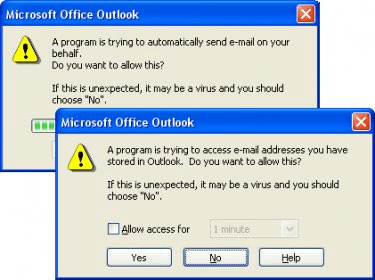
Are you tired of constant security alerts in Microsoft Outlook? With Advanced Security for Outlook, you can stop these interruptions. This tool lets you identify the source of the security alert and take decisive action, such as allowing, blocking, or reverting to Outlook's default handler for the program in question. Once you choose your preferred action, Outlook will automatically follow it without bothering you with repeated warnings about email address access.
Unlike the default Outlook security system, which only notifies you without showing which program caused the issue, Advanced Security gives you complete control. The standard security system also fails to manage legacy applications that trigger constant alerts. Our software allows you to handle these older apps by setting permanent actions specifically for them, ensuring smoother operations and fewer disruptions.
In addition, when you temporarily disable Outlook’s security, other programs might also run without restrictions, potentially exposing your data to risks. Advanced Security resolves this by identifying the alert’s source and providing an option to define the action permanently. You can always modify or remove these actions later if needed. With support for English, German, and Russian, this tool is easy to use no matter your language preference.