File LockFile Lock
 Power Video Cutter
 Stock Ticker Application Bar
 Corel PaintShop Pro X7
 SerialMailer Lite
 BioSearch
 HQuote
 SalesBoost
 File Lock (FileLock.exe) free download, latest version ✅7.0.1, File Lock is a powerful tool that allows you to protect your files/folders in several ways.
File Lock is a comprehensive solution designed to protect your files and folders in multiple ways. Whether you want to hide, lock, or password-protect your data, File Lock makes it simple by allowing you to drag and drop files into the main window for instant protection. When you protect a folder, all its contents—including subfolders and files—are automatically secured using the same method. Additionally, File Lock offers the ability to encrypt your files and set trusted apps, providing a complete security system for your data.
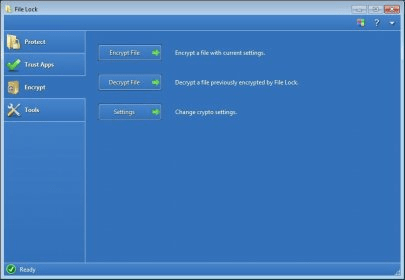
The program is built with a user-friendly interface divided into four key sections: Protect, Trust Apps, Encrypt, and Tools. The "Protect" section is where you can safeguard your files or folders with various protection levels. You can choose from 7 protection options, including lock, hide, password protect, and even schedule protection settings on a daily, weekly, or monthly basis. File Lock lets you define which users or user groups are allowed access, offering fine-tuned control over your file security. With features like these, File Lock is one of the best tools for personal file protection on Windows.
In addition to its robust file protection, File Lock includes a "Trust Apps" section that allows you to specify trusted programs that can access your protected files. The "Encrypt" section allows you to manually encrypt and decrypt files, ensuring that your data remains secure. The program’s "Tools" section lets you manage all settings, including starting or stopping protection and backing up configurations. With the use of a master password set during installation, File Lock ensures that only authorized users can modify the protection settings. Protect your sensitive data with File Lock’s versatile and secure file management features.