
Scan to Download
App Introduction
Measure Your Charger’s Performance with Ampere – Optimize Your Charging Speed
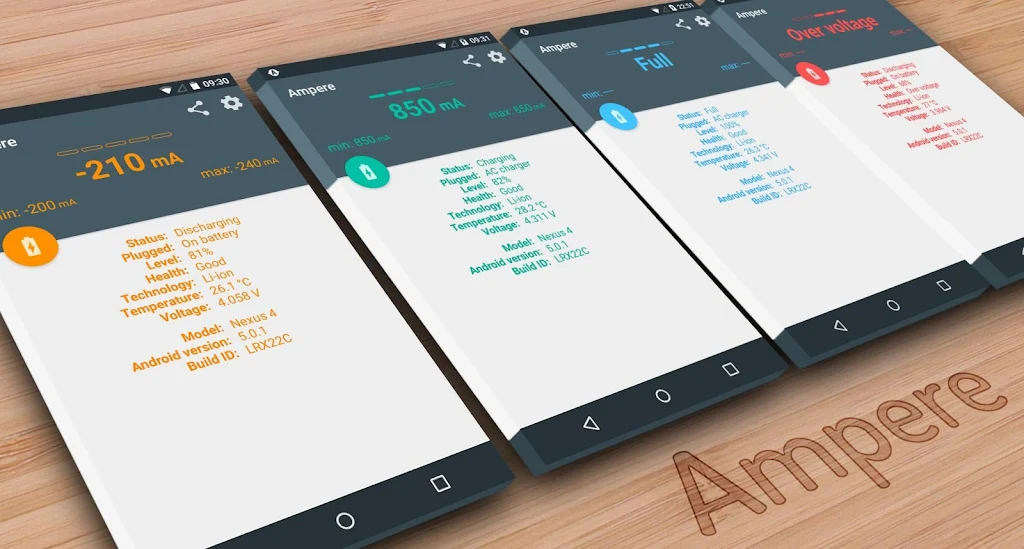
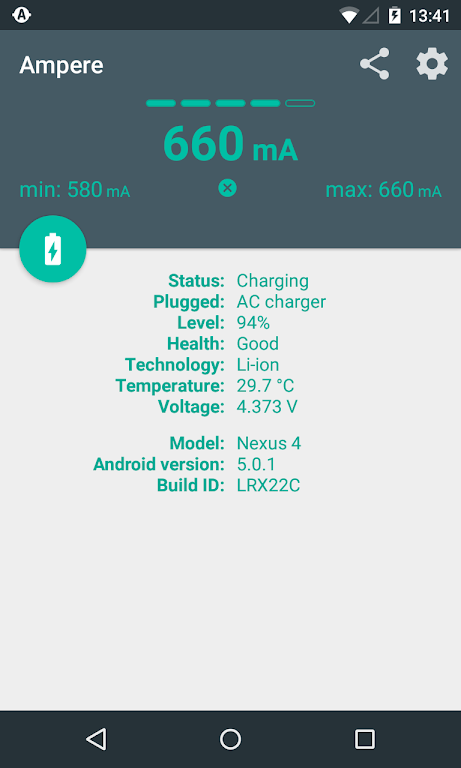
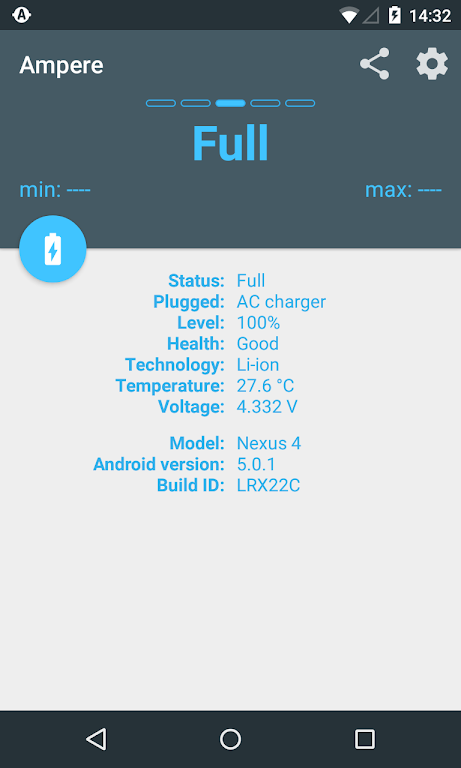
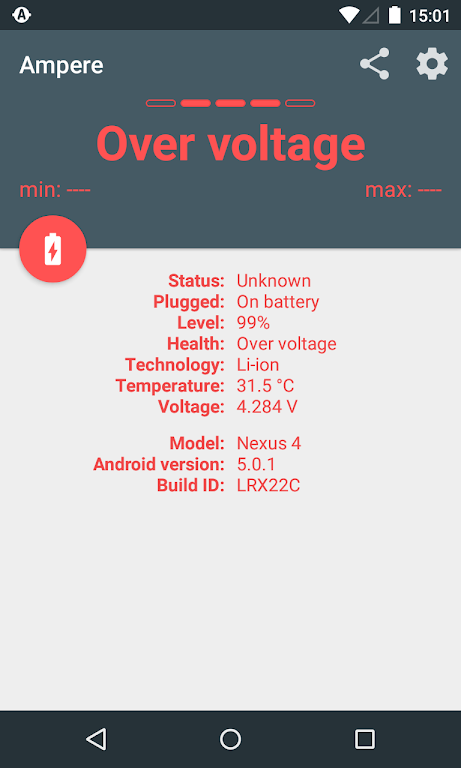
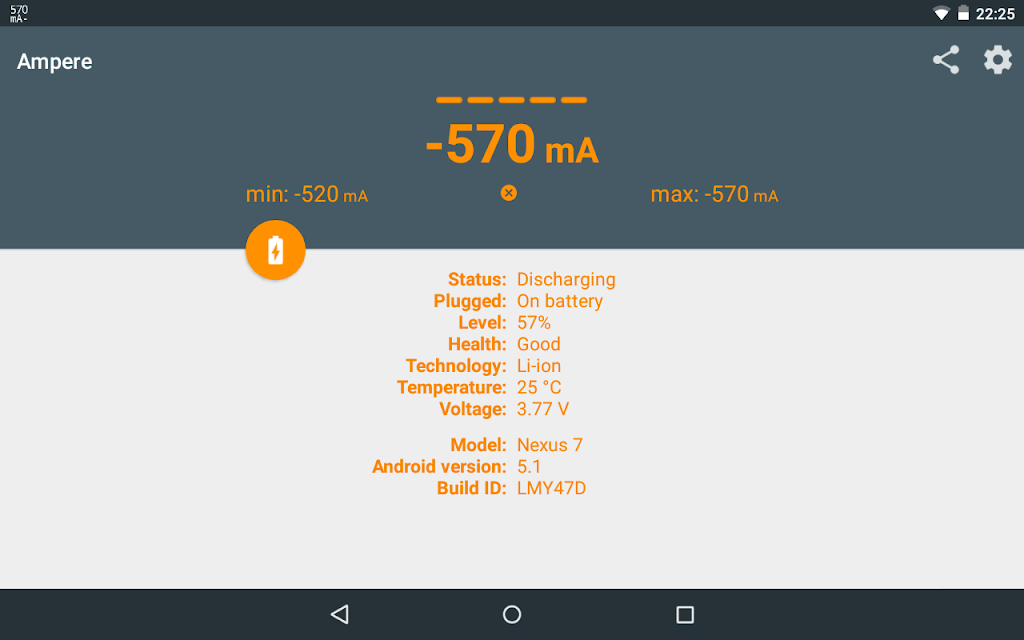
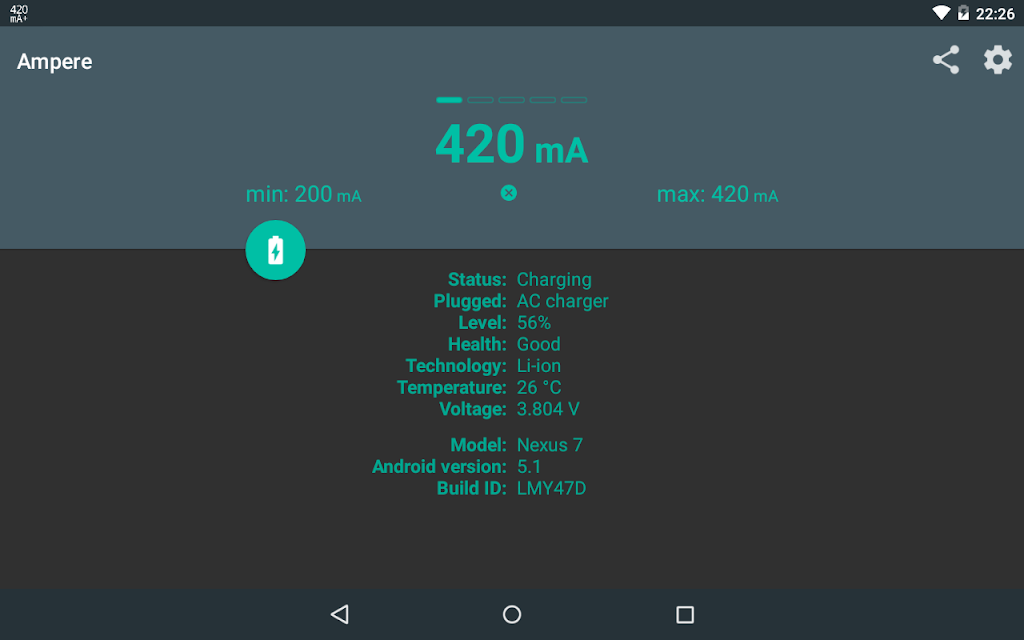
Ever wondered why some USB cables charge your device faster than others? Now you can measure and compare the charging speed of different chargers and cables with Ampere. This app helps you track your phone's charging and discharging current to find the most efficient charging setup.
Ampere provides detailed insights into your device’s power usage, making it easier to identify the best charger and USB cable combination for optimal performance. While the app is not designed for scientific accuracy, it helps you evaluate which chargers work best on the same device under different conditions. Ampere supports both wired and wireless chargers, giving you a full view of your charging performance.
PRO Features:
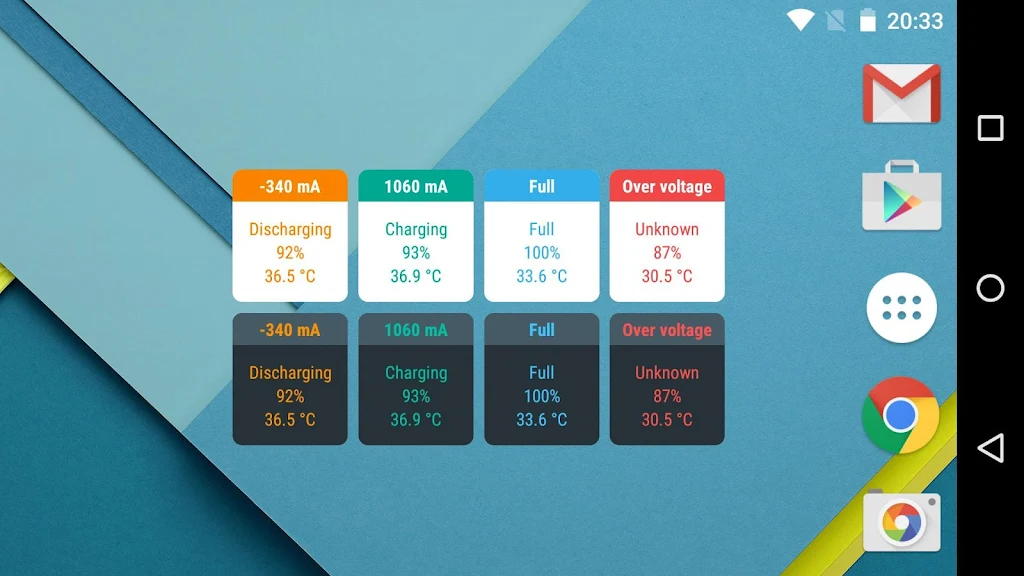
- Widgets to display current charging stats
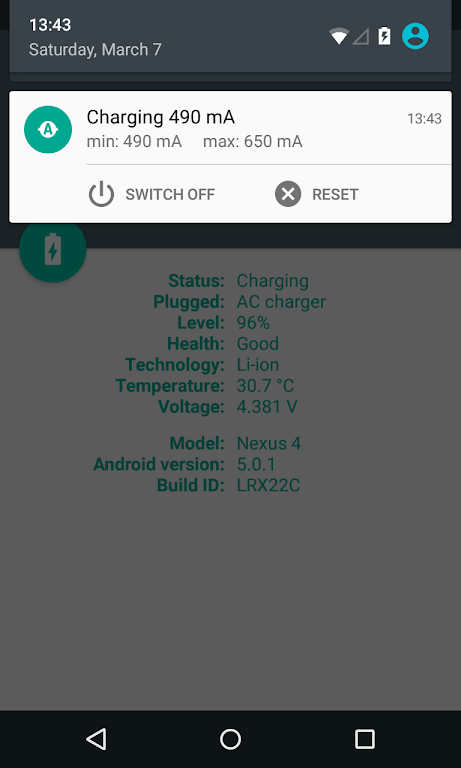
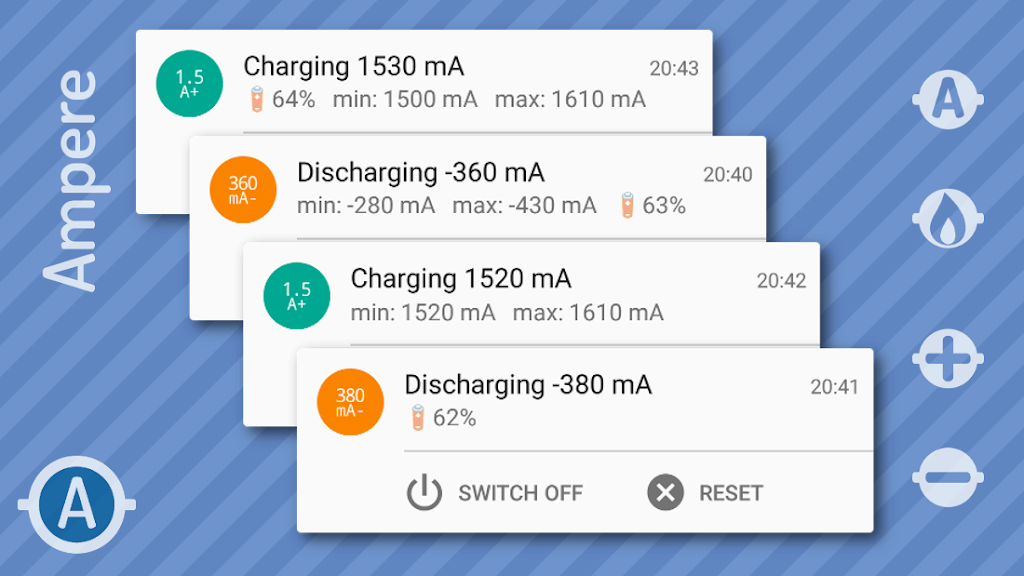
- Real-time notifications for charging updates
- Alerts for low battery or charging changes on your device
- Android Wear support for monitoring on smartwatches
Note that not all devices are supported, as some phones lack the necessary measurement chip. Be sure to check the list of unsupported phones at the end of the description. Additionally, please remember that this app is meant for relative comparisons, not for precise milliampere measurements.
To start measuring, simply launch the app and wait about 10 seconds for the current to be displayed. Several factors can influence the charging current, such as:
- The type of charger (USB, AC, or wireless)
- USB cable quality
- Phone model
- Current tasks running on the device
- Screen brightness, Wi-Fi, and GPS usage
If you see 0mA readings, try enabling the "Old measurement method" in the settings to force the app to use an alternative measurement interface. Some Samsung devices (e.g., Galaxy S5) may not report correct values due to firmware limitations, showing only the maximum current rather than accurate measurements.
Background Info:
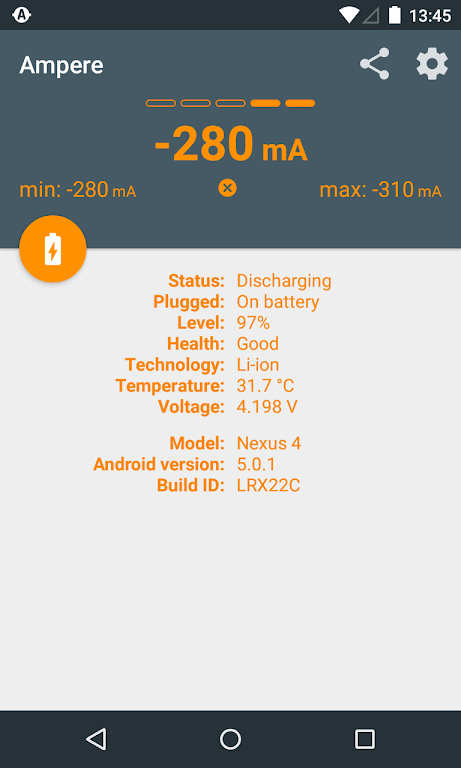
Ampere tracks your battery's charging and discharging current. When your phone is unplugged, it shows the discharging current (negative values). Once connected to a charger, it displays the current supplied by the charger to the battery. For instance, if your phone consumes 300mA without charging, a 500mA charger will charge the battery at 200mA (500mA charger minus 300mA consumption).
Technical Details:
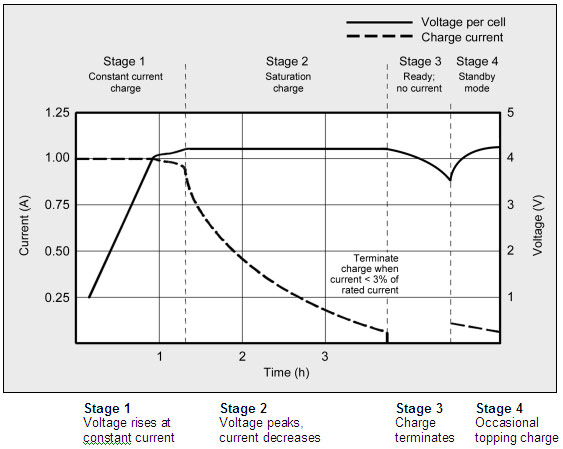
The app displays an average current value based on 50 measurements, excluding the highest and lowest 10 readings. Keep in mind that values may fluctuate due to Android’s system instability, and varying hardware types across manufacturers can affect accuracy. For example, LiPo batteries draw different current amounts at various charge stages, with lower currents as the battery nears full charge.
Compatibility Information:
Ampere works best on devices with Lollipop or newer versions. However, some older phones or ROMs may need to switch to the "Old measurement method" for accurate results. The app may not work on the following devices:
- Galaxy Grand Prime
- Galaxy Note 2
- Galaxy S3
- Galaxy Tab 4 7.0
- HTC Desire 510
- HTC One S, X, XL
- HTC Sensation 4G
Note: If you encounter issues with your device, please refer to the FAQ and troubleshooting section linked below, and do not leave incorrect ratings based on compatibility problems.
Additional Resources:
App Size: 18 MBApp Version: v4.35.10
System Requirements: AndroidUpdate Time: 2025-12-20
Language: ENDeveloper: Brain_trapp
Rec Apps

VolleyballTotal 264 Apps
Looking for the most exciting volleyball games for Android? Get ready to show off your spike, serve, and dig skills with this list of top sports games on 88apk. Whether you're into classic volleyball tournaments, enjoying beach vibes, or experiencing





news
Pokémon Go welcomes Hisuian Lilligant to the fray on an exclusive Raid Day later this month
12-26Street Patrol Command lets you patrol the borders as a rookie cop in the 80s, coming soon to iOS
12-26Fruit Ninja Classic+ carries forward its Bluey crossover with the Sticky Gecko event
12-26PurrbitPop offers fast-paced match-3 madness with a shapeshifting twist, out now on iOS
12-26Angry Birds Bounce is out now on Apple Arcade, bringing brick-breaking action to the classic series
12-26Torerowa opens pre-registration for the isometric extraction hack 'n slash
12-26Play Together lets you bring back the prehistoric era in this massive dino-filled update
12-26Wrathbound Interactive has opened pre-registration for its high-octane, sci-fi racer, CYGRAM
12-26Mo.co is now available to play worldwide so you can ditch the invite-only FOMO
12-26Marvel Contest of Champions launches Fantastic Four-themed content to hype up the upcoming film'
12-26
Hot Apps


-
1
-
2
Robot Subdolous Ireful Inbreak
Action -
3
Heroes vs Hordes: Survivor RPG
Adventure -
4
Ramon World Adventure Free
Adventure -
5
Flying Ball
Adventure -
6
Witch and Council : Idle RPG
Adventure -
7
Mimpi Dreams
Adventure -
8
archer escape
Adventure -
9
Shadow Fight 2
Action -
10
Police Car Chase - Cop Games
Action


Hot Categories
- All
- Tools
- Entertainment
- Communication
- Social
- Music & Audio
- Photography
- Video Players
- Personalization
- Productivity
- Sports
- Education
- Lifestyle
- Books & Reference
- Shopping
- Business
- Health & Fitness
- Travel & Local
- Food & Drink
- Maps & Navigation
- Beauty
- Comics
- Dating
- Events
- News & Magazines
- Weather
- House & Home
- Libraries & Demo
- Medical
- Parenting
- Art & Design
- Auto & Vehicles