KeyFreezeKeyFreeze
KeyFreeze (bKeyFreeze brhoom.exe). KeyFreeze is a tiny utility that does nothing else but quickly disables the keyboard and the mouse...
Children love tapping on keyboards and clicking mice, but that innocent curiosity can accidentally open apps, change settings, or interrupt what’s on screen. KeyFreeze offers a safe, effortless way to let kids enjoy videos, music, or interactive animations without worrying about accidental inputs.
This lightweight utility instantly disables the keyboard and mouse, allowing toddlers to press any key they want without affecting what’s running on your computer. It’s perfect for uninterrupted cartoon time, family videos, or hands-free playback sessions often searched through terms like “parental control for toddlers,” “safe computer viewing,” and “kid-proof screen tool.”
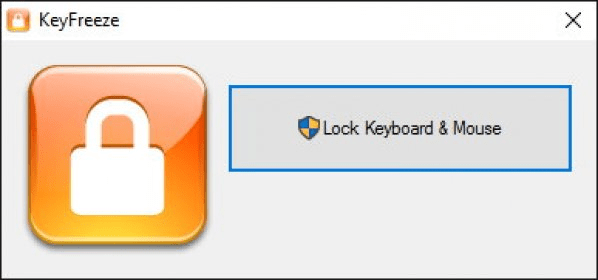
Using KeyFreeze is incredibly simple: click one button to lock input, and when you're ready to regain control, use the standard Control + Alt + Delete shortcut followed by Esc. That’s it—no menus, no setup, no confusion.
Completely free and wonderfully straightforward, KeyFreeze is a handy solution for parents who want a calm, worry-free digital moment while keeping devices protected.
• Instantly disables keyboard and mouse with one click
• Prevents accidental clicks while kids watch videos or animations
• Quick unlock via Control + Alt + Delete and Esc
• Ultra-light, simple, and reliable utility
• Free tool ideal for kid-proofing your computer during screen time
 Comparisonics Audio Editor
 Yarn
Yarn IceChat
 PushPal
 Secure Folders
 Skype Recorder
 Free MP4 Converter