 Lock My PCLock My PC
Lock My PC (lockpc.exe). Going out on my break from work and leaving my computer unattended always gives me an itchy feeling.
Leaving your computer unattended can be a security risk, especially when you're away from your desk during breaks or meetings. Lock My PC is the perfect solution to protect your system from unauthorized access. With this application, you can easily lock your computer without shutting it down, ensuring that your files remain secure from prying eyes.
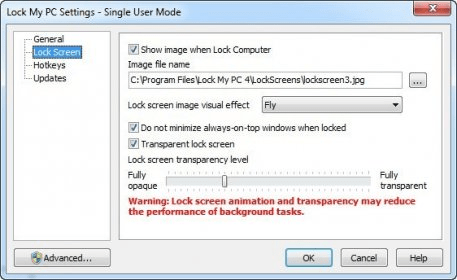
Lock My PC provides a wide range of security features to enhance the protection of your device. From locking your PC after a period of inactivity to requiring a password when quitting, the app offers customizable settings to suit your security needs. Whether you're looking to prevent access to sensitive documents or simply want to keep your system safe from other users, Lock My PC has you covered.
In my tests, I found Lock My PC to be highly effective. Even when using the Ctrl+Alt+Del key combination, I was unable to access my applications or files. There was one instance when I couldn’t unlock the computer due to high CPU usage, but a quick restart solved the issue. Overall, Lock My PC successfully prevents unauthorized access, providing peace of mind whenever you're away from your computer.
 Copy Protect
 DAPlayer
 Webinaria
 Quicken 2015
 webcam 7 Pro
 Colour To HTML
 Business2Go Small Business