Install-BlockInstall-Block
 Lobby Track
 Finale NotePad
 HP Trust Circles
 Directory Submitter
 Lesop Camera Studio
 Garmin MapConverter
 Money Pro
 Install-Block (bsib.exe) latest version 2.0.7, Install-Block can be used to prevent unauthorized installations on your computer.
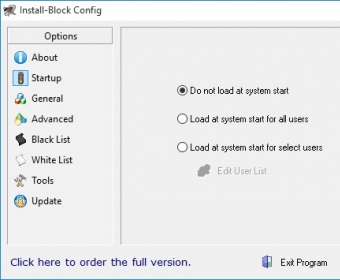
Install-Block is a powerful tool designed to prevent unauthorized installations and protect your computer from malware by blocking access to certain Windows features and websites. This easy-to-use software helps limit user privileges, ensuring your system remains secure from potential threats. With a simple interface accessible from the System Tray, it’s quick to configure and comes with a helpful tutorial to guide you through the setup process.
Once installed, Install-Block can automatically start with Windows, requiring a password to access and modify its settings. The program lets you create a blacklist to block specific windows and features by detecting keywords in their titles. If a blacklisted phrase appears, the software prompts the user for a password to continue. To prevent easy bypassing, it’s also recommended to block the Task Manager. While the interface may be basic, its functionality is highly effective for safeguarding your PC from unauthorized access.
In addition to blocking installations, Install-Block offers a built-in encryption tool that uses Blowfish encryption to secure sensitive files with passwords. For networked computers, you can also manage access remotely, giving you more control over your system's security. While updates have not been released in some time, Install-Block remains a lightweight and affordable solution for securing your computer from unauthorized use and potential malware threats.