Folder Password Expert USBFolder Password Expert USB
Folder Password Expert USB (folder-password.exe). USB flash drives and memory sticks are very prone to loss or theft.
USB flash drives and memory sticks are easy to lose, making them risky places to store sensitive files. Folder Password Expert USB helps you stay protected by letting you encrypt and password-protect any folder on portable drives or local hard disks. This data protection software for Windows offers a simple way to lock personal information and keep it safe from unauthorized access.
Even if someone copies a protected folder, it stays unreadable without the correct password. Once locked, the folder’s icon changes, and attempting to open it automatically launches Folder Password Expert USB, prompting you for the secure password you set. With one click, the folder unlocks instantly if your password is correct—ideal for anyone who needs a USB security tool for sensitive files or a password protect folders on flash drives solution.
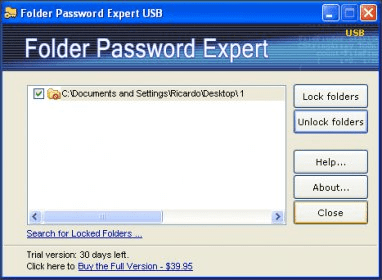
The clean, intuitive interface displays all previously protected folders in one central panel, allowing you to lock or unlock them quickly. You can easily add new protected folders through the “Select folder” dialog, and the program can also search your drives for any existing locked folders or subfolders. Compatible with all modern Windows versions, including Windows 7, it delivers essential file security for everyday users.
 SimplyGoodPictures
 FriendAdderElite
 Eyeball Chat
 QuickDeal
 iHDClip
 H-Designer
 Accounter