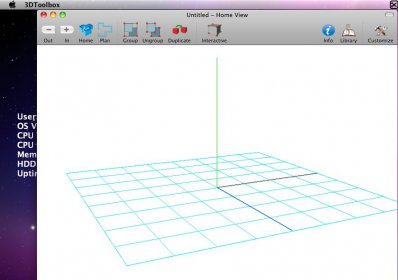
 Microspot 3D ToolboxMicrospot 3D Toolbox
 LabQuest Emulator
 Internet TV Player
 Treehouse
 Adobe Audition CC
 Ignite UI
 EasyBarcodeCreator
 IronPython
 The latest version of Microspot 3D Toolbox is 4.0 on Mac Informer. It is a perfect match for 3D Modeling in the Design & Photo category.
Microspot 3D Toolbox is a powerful, free application that allows you to effortlessly open, edit, print, and navigate various 3D model file formats, including Quickdraw 3D (.3dmf), 3D Studio Max (.3ds), and Google SketchUp (.skp). With its versatile features, you can import a combination of models from both Google SketchUp and 3D Studio Max into a single scene, giving you full control over your 3D designs.
The beauty of Microspot 3D Toolbox is its flexibility. Whether you're a beginner or an advanced user, it can be as simple or as intricate as you need. This makes it the perfect tool for anyone looking to work with 3D models in a seamless and efficient way, from architects to designers and hobbyists.
System Requirements:
- Operating System: Macintosh OS X 10.4 or higher
- Processor: Power Mac G5 or Intel Processor
- Memory (RAM): 1 GB
- Free Hard Disk Space: 80MB (Free Version)