COM ExplorerCOM Explorer
 Leawo Blu-ray Player
 DNJ Clip Color
 ArcSoft Scan-n-Stitch Deluxe
 Money Plus - Budgets & Tracker
 Qpid Network
 S4A
S4A EZ CD Audio Converter
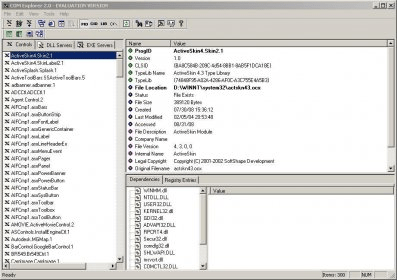
 COM Explorer (comexp.exe). Administrators and developers can now easily manage EXE Servers, DLL Servers and Active X controls with the help of COM Explorer.
COM Explorer gives administrators and developers a clean, powerful way to manage EXE and DLL Servers, ActiveX controls, and registered COM objects. Its intuitive GUI instantly flags unused or “dead” objects, simplifies registry edits, and streamlines troubleshooting for smoother Windows performance. Designed for efficiency, it helps teams handle large COM inventories with confidence.
Integrated directly with Windows Explorer, COM Explorer supports quick viewing, registering, and auditing of COM controls. The built-in Inventory Report Generator produces detailed HTML reports, making it easy to document environments or diagnose daily COM issues. Version 2.0 enhances the original hit with improved multi-selection, faster cleanup, and clearer object status indicators—ideal for system maintenance, IT audits, and enterprise software management.
With a user-friendly interface and real-time updates, you can view multiple ActiveX controls at once, detect installation mistakes, remove obsolete entries, and monitor new registrations instantly. It’s fast, reliable, and engineered for seamless COM optimization—perfect for anyone needing advanced registry inspection, Windows development tools, or enterprise system oversight.