 EditPlusEditPlus
 Stellar OST to PST Converter
 PreSonus Capture
 CraftBoard
 My Total TV
 qcEffectsMovie
 Express Mail@Mate
 World TV Player
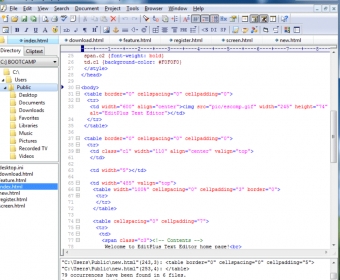
 EditPlus (editplus.exe). EditPlus is a text editor for Windows with built-in FTP, FTPS and sftp capabilities.
EditPlus: A Fast, Flexible Code Editor with Powerful Tools for Modern Developers
EditPlus is a lightweight yet feature-rich code editor designed for developers who want speed, customization, and productivity. With strong FTP support, a built-in browser, and broad language compatibility, it offers a streamlined workflow ideal for web development, software engineering, and full-stack coding. It’s also highly customizable, making it a great fit for teams seeking efficient code editing and improved development pipelines.
While EditPlus is not a free text editor, it delivers premium capabilities that many free tools lack. Its extensive syntax highlighting, user-defined syntax files, and personalized cliptext and auto-completion options give you full control over how your environment looks and behaves. Whether you’re building large projects, editing scripts, or managing files on remote servers, EditPlus helps reduce friction and accelerate your work.
Thanks to a tabbed interface, overlap-capable windows, and immediate FTP/SFTP/FTPS access, you can manage multiple files and upload updates without switching apps. The integrated browser lets you preview web pages or browse the internet directly inside the editor—perfect for debugging, testing, or rapid prototyping. Combined with time-saving features developers expect, EditPlus stands out as a top-tier coding solution and a reliable alternative for teams optimizing workflows and seeking better code management tools.