Draw-On-ScreenDraw-On-Screen
 MP3 Cutter Joiner Free
 FastTrack Schedule
 BioManager Professional
 ACplus
 Blacksmith3D-Morph
 TrueRTA
 ITACTIL
 Draw-On-Screen (Draw-On-Screen.exe) free download, latest version 3.0, Draw-On-Screen is a program that allows you to draw simple images...
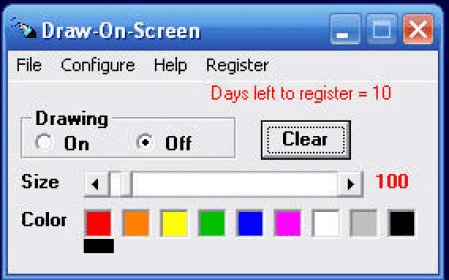
Draw directly on your Windows screen with a variety of tools. Adjust brush color, size, and save your images effortlessly. Keep your drawings on top of other apps for seamless presentations and more.
Draw-On-Screen is the ultimate tool for anyone who needs to make quick, on-the-fly drawings directly on their screen. Whether you're creating simple images for fun, giving a presentation, or highlighting important content, this program makes it easy. It allows you to draw circles, arrows, text, or any other symbols on the screen to emphasize key information. The best part? Your drawings will not affect any of the documents or applications you're working with. They remain as temporary, movable annotations that are simple to erase or modify. Save your drawings for later use, and access them anytime!
Perfect for presentations, online tutorials, or even brainstorming sessions, Draw-On-Screen ensures that your drawings stay visible on top of everything else you're working on. Easily adjust the size, color, and style of the brush to match your needs. Save your images to your computer and access them instantly whenever you need to refer to them. Whether you're teaching, presenting, or collaborating, this program is a must-have tool for seamless, professional annotations.