ImageConverter PlusImageConverter Plus
ImageConverter Plus (icp.exe). Having a full-featured graphics converter and a versatile image editor in one single tool will save you time, money...
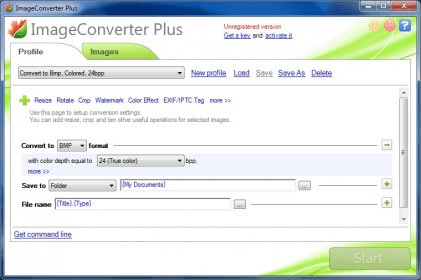
Save time, money, and hassle with ImageConverter Plus, the ultimate tool combining a powerful graphics converter and a versatile image editor. Supporting all popular image formats and offering batch conversion, this tool makes file management easy while eliminating compatibility issues. Whether you need to convert or edit, this all-in-one solution is designed to streamline your workflow and enhance your images effortlessly.
ImageConverter Plus supports a wide range of image file formats including BMP, JPG, GIF, PNG, TGA, TIFF, PCX, PDF, and PSD. With the built-in My ViewPad image viewer, you can easily preview and organize your files. For digital photography enthusiasts, it provides detailed technical information, including EXIF/IPTC and JPEG tags, resolution, compression, and dimensions. This makes it a valuable tool for both casual users and professionals alike.
Before converting your images, you can apply powerful editing features like resizing, cropping, rotating, watermarking, and color corrections. Enhance your images with effects and frames, and customize their output format and file names. The batch conversion process is fast, reliable, and fully customizable, giving you complete control over how your images are stored and organized. ImageConverter Plus simplifies image conversion and editing, making it the go-to tool for any image-related task.
 Tweeten
 Fast Directory Submitter
 rdio
rdio nexGTv
 Image To PDF
 My Screen Recorder
 TweetTank