TigerCadTigerCad
 SecuCurr
 ZENON
ZENON WForex FX LITE for MT4
 Voxengo SPAN
 Windows Password Recovery Tool
 PCME Dust Tools
 Visual Inventory Control
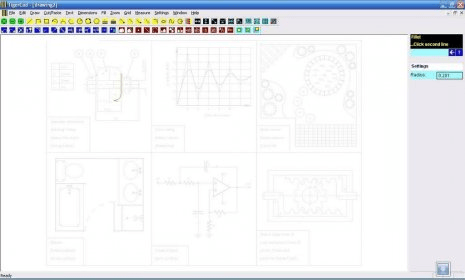
 TigerCad (tigercad.exe). TigerCad is a very compact and fully functioning CAD program that can create professional 2D drawings using simple tools.
TigerCad is a compact and fully functioning CAD program built for precise 2D drawings using simple, intuitive tools. Whether you’re designing gardens, mechanical cams, electronic schematics, building layouts, or room plans, TigerCad combines accuracy with ease of use—perfect for professional CAD software for beginners and experts alike.
Use curves, angles, X/Y axis positioning, and custom dimensions to create professional results without a crowded interface. Choose your preferred scale based on your local standards: Inches, Feet, Millimeters, Centimeters, or Metres. An included example drawing helps you quickly learn how to design circles, semicircles, parallel lines, arcs, ellipses, rectangles, connected line series, and more. It’s the ideal 2D floor plan design tool, mechanical engineering drawing app, and DIY home layout planner in one.
Lock angles and positions for scale drawings, stretch or zoom to maintain tolerance, and apply colors or fill tools for polished presentations. Add notes to any line or shape, capture your screen as a JPEG, or export as PDF using a virtual printer driver.
• Create professional 2D drawings: gardens, rooms, buildings, mechanical and electronic designs
• Full CAD features without clutter—simple tools, powerful accuracy
• Supports multiple scales: Inches, Feet, Millimeters, Centimeters, Metres
• Lock angles, use stretch/zoom/scale tools, and add color fills for presentation-ready work
• Save drawings as images or export as PDF (virtual printer required)