TinyCADTinyCAD
 MoodTuner
 AD Admin And Reporting Tool
 DeltaCad
 Qnext
Qnext ArcSoft Perfect365
 Microsoft Silverlight SDK
 Hide Folder
 TinyCAD (TinyCad.exe). TinyCAD is allows you to draw electrical circuit diagrams.
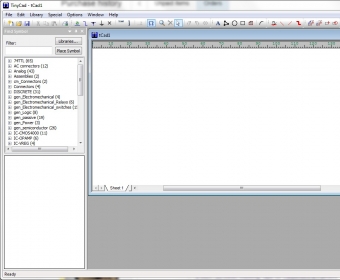
TinyCAD makes it easy to design basic or complex electrical and electronic circuit diagrams with precision. Ideal for hobbyists, engineers, and students, it offers 755 symbols across 42 editable libraries, including digital logic-gate circuits, microcontrollers, connectors, analog circuits, passive components, power sources, semiconductors, and more. Whether you're drafting a quick layout or building a complete project, TinyCAD gives you the flexibility to customize symbols, add new libraries (TClib, mdb, and idx), and manage everything from a clean, intuitive workspace—perfect for beginners and pros seeking fast schematic design.
Use the component filter to quickly locate any symbol, preview it instantly, and insert it directly onto your schematic sheet. Wire components using the simple Wire tool—junctions are created automatically—and let TinyCAD handle checks for duplicated references, missing labels, and unconnected items. When your design is ready, export your circuit netlist with the built-in PCB Export feature to formats like TinyCAD, PADS-PCB, Eagle SCR, Protel, gEDA PCB, and XML for seamless PCB manufacturing. You can also print your schematic or copy it to the clipboard for documentation, making TinyCAD a reliable choice for electrical drawing, circuit simulation workflow prep, and professional PCB planning.