EmailStripperEmailStripper
 ezBusiness
 Password Protect USB
 LEAP Office
 WMV to AVI MPEG DVD WMV Conver
 Mail Tab for AOL
 VectorWorks
 Pixie
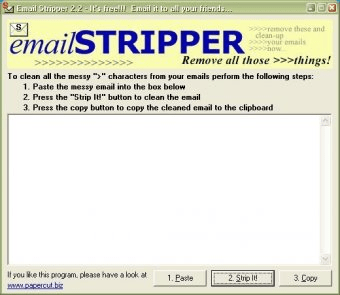
Pixie EmailStripper (emailstripper.exe). emailStripper eliminates the annoying brackets (>>) and other symbols that appear in many forwarded e-mails.
Forwarded emails often pile up with unwanted characters like “<” and “>”, making messages messy and hard to read. This tool quickly removes those symbols and restores clean, readable text. Ideal for anyone who handles long email chains or needs a reliable email formatting fixer.
emailSTRIPPER is a free Windows app that automatically cleans forwarded content—just copy your text, paste it into the interface, tap “Strip it,” and get a polished message in seconds. It’s fast, intuitive, and perfect for users looking for the best email cleanup tool or a quick way to remove forwarding symbols without manual editing.
With its simple workflow and one-click cleanup, emailSTRIPPER is especially useful for people who frequently receive long chains of forwarded messages. While a plugin version for Thunderbird or other email clients could provide automated cleanup, this lightweight standalone app already saves significant time and effort.