Cisco WebEx MeetingsCisco WebEx Meetings
 inFORme
 Disk Password Protection
 TranWise
 Adobe Gaming SDK
 Corporate Directory
 abPhoto
 Sound Organizer
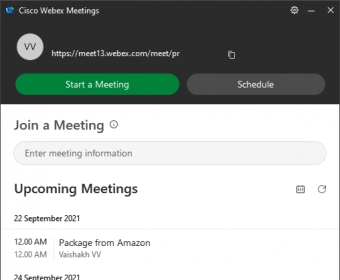
 Cisco WebEx Meetings (atauthor.exe). When everyone has an equitable experience...
Cisco WebEx Meetings is a top-tier online meeting platform designed to make virtual collaboration easy, efficient, and secure. With its user-friendly interface and advanced features, WebEx stands out from other meeting software, offering seamless connectivity with devices and tools for an enhanced remote experience. Whether you're hosting a small team huddle or a large conference, WebEx ensures a smooth, interactive experience.
The platform allows you to create interactive whiteboards before or during calls, which can be saved and shared in PDF format. It also offers safe storage for messages, call history, and whiteboards—ensuring that nothing is lost. You can easily manage settings and customize preferences directly from the program interface, offering complete control over your meeting environment.
WebEx’s VidCast feature allows users to watch, record, and discover videos, with personalized recommendations and full recording options. The program also includes a built-in help chat to assist users in real time. Plus, even if you're multitasking, your meeting remains active, and the interface minimizes to a floating thumbnail screen, so you can stay connected while working in other apps.
While WebEx offers numerous features, some advanced options are only available in the Premium version, including extended meeting times and enhanced call capacities. The Premium subscription, however, is not always cost-effective for all users. Despite this, WebEx is a reliable, comprehensive solution for virtual meetings, with its own QR code for easy installation on mobile devices.