 Media Player Codec PackMedia Player Codec Pack
Media Player Codec Pack (CodecSettings.exe). Despite the obvious advantage of counting with a tool like Windows Media Player integrated in our operating...
Windows Media Player, while integrated into your operating system, has become outdated due to a lack of updates. The Media Player Codec Pack offers an easy solution to update your PC with the latest HD, UHD, and audio codecs. This comprehensive codec pack enables your computer to play a wide variety of media formats, unlocking compatibility with free media players and multimedia tools that require specific codecs to function properly.
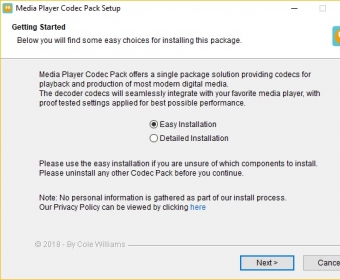
Typically, users install the Media Player Codec Pack just once. The straightforward installer offers an Easy or Detailed installation process, allowing you to select the components you want and where to install them. After installation, you'll rarely need to think about the codec pack until a new version is released. For advanced users, the Settings dialog offers customization options to fine-tune video and audio codecs according to personal preferences and system requirements.
This codec pack includes all the essential video and audio decoders, such as LAV, ffdshow DirectShow, XviD, x264, DivX, and Haali Media Splitter for MKV containers. It supports a wide range of media file types, including MKV, AVI, FLV, WebM, MP4, M4A, TS, DTS, AC3, FLAC, APE, Ogg, 3GP, and more. Whether you're playing SD, HD, or Ultra HD video, you'll have access to all the major video and audio codecs. While it doesn't support every niche audio format (e.g., SHN), this codec pack covers the most popular and frequently used formats.
Additionally, the Media Player Codec Pack includes Media Player Classic Home Cinema by default (unless deselected), a versatile media player that supports a broad range of codecs and even allows you to watch Blu-ray movies on your PC.
 Parts Inventory II
 rChart
 PST Extractor Pro
 ImageToText
 TinyWall
 Tomahawk
 WatchGuard System Manager