 GoPro VR PlayerGoPro VR Player
 A+ Suite
 Attendant Manager
 Screenie
 CSS Tab Designer
 VirtualDub Filter Pack
 HandyCafe Firewall & Filtering
 SchoolPro
 GoPro VR Player (GoPro Importer.exe). GoPro VR Player lets you enjoy a more realistic viewing experience by supporting spherical video playback.
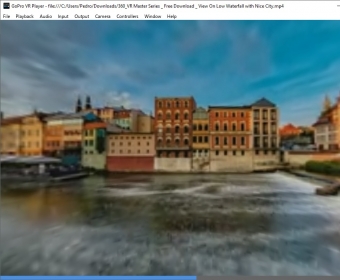
GoPro VR Player allows you to effortlessly import videos recorded with your GoPro camera and create, modify, or explore immersive virtual environments based on a 360° camera view. By simply clicking, holding, and dragging anywhere in the main window, you can interact with the video to explore every corner of the scene. The video encoding, master/slave, and controller settings are fully customizable, providing you with a personalized viewing experience.
Designed for an enhanced viewing experience, GoPro VR Player supports spherical video playback for a truly immersive adventure. The minimalistic interface ensures ease of use, with essential options available directly from the main window. You can also access advanced configuration options through a top menu. Supporting a wide array of media formats, the player can handle popular video extensions and multiple image types. Moreover, it’s also capable of playing video streams for added flexibility.
With GoPro VR Player, playing a video is simple—just drag and drop the desired file into the main window. No need to press the play button! The 360-degree video allows you to zoom in or out using the mouse wheel and move the scene in any direction by dragging the image. You can also customize how the video is displayed with four different projection modes, including GoPro VR, Fisheye, Rectilinear, and Little Planet. If you prefer a 3D experience, you can enable 3D playback for even more realism.