Webcam Screen RecorderWebcam Screen Recorder
Webcam Screen Recorder (WCSR.exe). Webcam Screen Recorder is intended to capture whatever happens on your computer screen.
Webcam Screen Recorder is a simple and efficient tool designed to capture everything happening on your computer screen. While it doesn't support recording from a webcam, it excels at screen capture, offering flexibility to record the entire screen or just a selected portion. You can even capture specific windows or follow the mouse pointer for a more dynamic recording experience. This makes it perfect for creating software presentations, tutorials, or any project that requires on-screen narration. Plus, the program allows you to record audio directly from your microphone or system’s sound card, adding an extra layer of functionality.
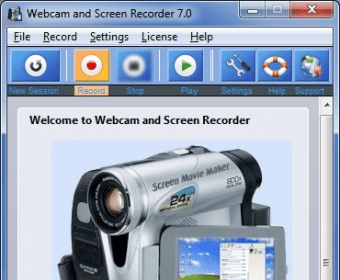
The interface of Webcam Screen Recorder is intuitive and user-friendly, featuring self-explanatory buttons that make controlling the recording process a breeze. The program runs discreetly in the System Tray, so it won’t interrupt your workflow while capturing video. You can stop the recording anytime with a hotkey combination or directly from the tray. Afterward, you can save your footage in popular formats like WMV or AVI. Additionally, the software includes video and audio compression codecs, ensuring your files stay manageable without compromising on quality.
In conclusion, Webcam Screen Recorder is a lightweight, easy-to-use solution for any user looking to capture high-quality screen recordings. However, keep in mind that it lacks advanced post-recording editing features. With many similar products available, it's worth experimenting with a few options to find the one that best fits your needs.
 Atrex
Atrex Adobe Media Encoder CC
 PoKiT
PoKiT Gentee Programming Language
 Robo 3T
 Cocoon
 Dentrix