 iTunesiTunes
 Shoutcast Explorer
 Watermark Software
 MAGIX music maker Hip Hop Edit
 ezCheckPrinting
 Free Video Joiner
 Stereoscopic Player
 CamUniversal
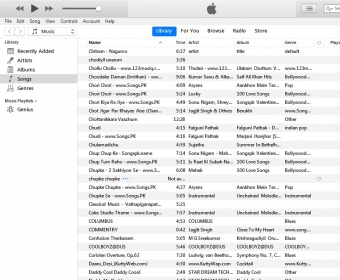
 iTunes (iTunes.exe). iTunes allow you to organize and enjoy the music, movies, and TV shows in your computer.
Easily organize, manage, and enjoy your entire iOS media collection with the revamped iTunes 11. Access your favorite songs, videos, movies, and playlists, plus install the latest updates for your iOS devices.
The highly anticipated new version of iTunes has finally arrived, and it brings a complete redesign. After Apple’s announcement, users eagerly awaited the changes, and the iTunes 11 update delivers with exciting new features like the New MiniPlayer, Up Next, and iCloud syncing for seamless playback across devices. The interface has also undergone significant changes, offering a brighter, more colorful design, though some features have been removed to streamline the experience.
iTunes now offers a much lighter and faster performance, with the removal of certain features like Cover Flow, DJ, and Multiple windows. While it’s certainly quicker than before, some users may find its speed limited under certain conditions. The new MiniPlayer offers a more intuitive way to manage playback, featuring the Up Next button for easy previewing of upcoming tracks, though it lacks a progress bar and volume control. The search function has been improved to allow users to find media across their entire library, but large collections may experience slower results.
Thanks to iCloud, iTunes now offers better interaction between your devices, allowing you to sync and access your media without needing to store physical copies on each one. iCloud also remembers where you left off in movies and TV shows, so you can easily continue watching on another device. Despite a few missing features, iTunes 11’s changes have made it a more efficient and enjoyable media manager, though there’s still room for improvement.