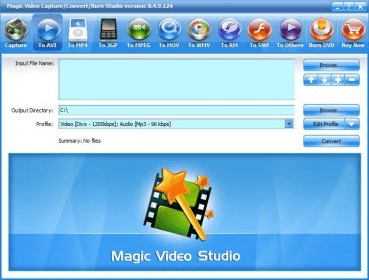
Magic Video Capture/Convert/Burn StudioMagic Video Capture/Convert/Burn Studio
 Beatz Maker Evolution
 Splash PRO
 ResNet Root Certificate Wizard
 onlinelive
 Rational Suite Enterprise
 PopTray
 Koku
Koku Magic Video Capture/Convert/Burn Studio (videoapp.exe). This program brings together three of the main functions when working with video files.
Streamline your video editing process with this all-in-one solution for capturing, converting, and burning video files onto DVDs and VCDs. Featuring a full-featured video editor for enhanced control.
This powerful program combines three essential video tasks into a single, easy-to-use tool. Capture videos, convert between various formats, and burn your creations to DVD or VCD – all from one intuitive interface. Whether you're recording video from your webcam, adjusting video settings, or creating a customized menu for your DVD, this software makes video editing and processing effortless. With its user-friendly design, you can start recording instantly, fine-tune your video settings, and manage your files like a pro. Ideal for anyone looking for a simple way to work with video files.
Converting videos is a breeze—just open the file, select the conversion option, and hit go. You can choose the output folder and take advantage of different conversion profiles. For burning, the program lets you customize the burning speed, create menus, and select from multiple templates. The trial version allows for 3-minute conversions per video, and you have 30 days to explore all its features before purchasing a license.