
Scan to Download
App Introduction
Universal game control mapper for touch, keyboard, mouse, and controller play—optimized for emulators, FPS mobile games, and open-world anime gacha adventures.
GameKeyboard+ is a versatile mapping toolkit designed to give you complete control across genres and platforms. Play keyboard/gamepad-only games with touchscreen, enjoy touch-only games with a gamepad, keyboard, or mouse, and even map gamepad-only titles to keyboard inputs. It’s ideal for customizing controls in competitive shooters, cloud gaming, and open-world anime gacha games that benefit from flexible layouts. For Touchscreen to GPS mapping, please check out our FakeWalker.
Some features require root access. If you encounter issues, please contact the developer at [email protected]. Test compatibility during the trial period to ensure the best experience, especially for demanding mobile RPGs and controller-heavy sandbox games.
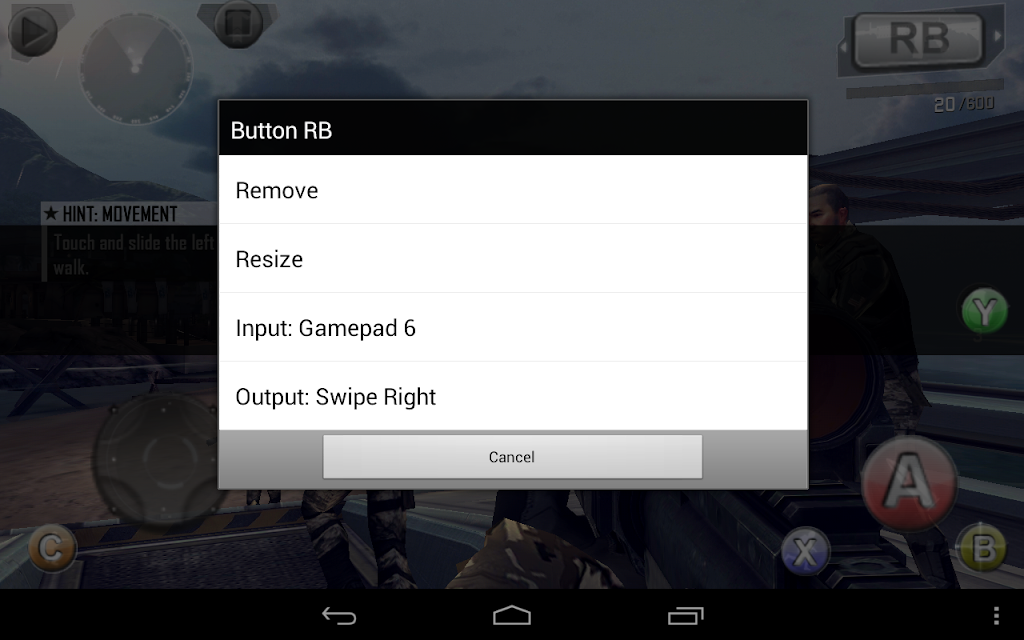
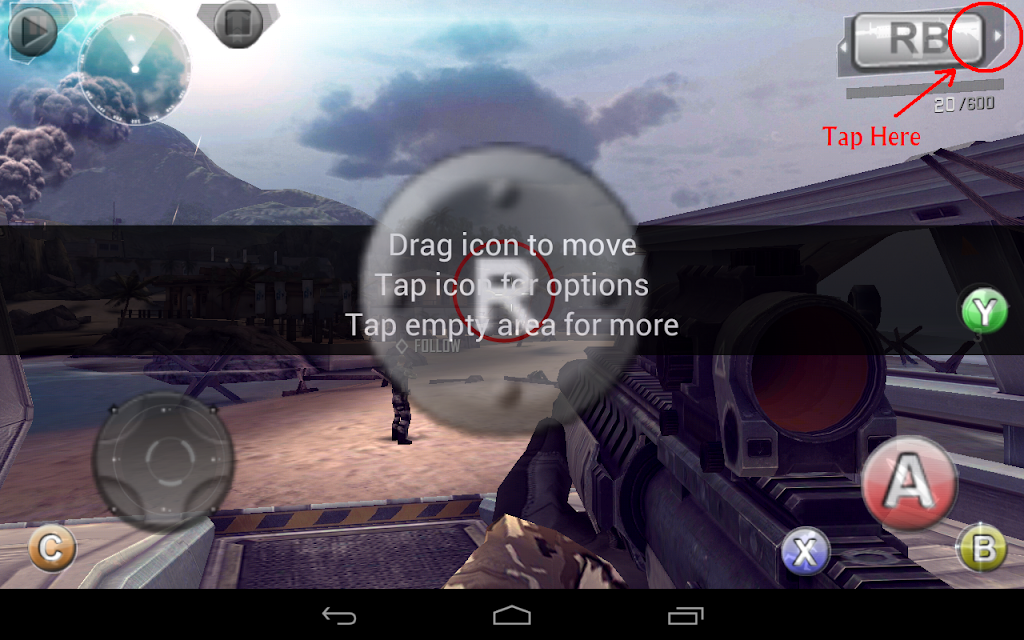
Main Features- Onscreen gamepad with multi-touch*, 4/8-way d-pad, up to 12 game buttons, dual analog sticks, resizable/custom layouts, and fully configurable mappings.
- Re-map physical keys and save all key/button settings into multiple profiles for fast swapping.
- Full QWERTY keyboard plus macro creation for autofire, combo keys, action sequences, and text input with a single tap.
- Emulate Touchscreen actions, Virtual Mouse, and real Analog Joystick (root required for these advanced tools).
- “Standalone” mode to skip soft-keyboard switching (root required). Disable SELinux for root-only features on Android 4.3+.
Control games using Touchscreen, Accelerometer, Mouse* (root), BluezIME-compatible Bluetooth controllers, OS-compatible Bluetooth/USB controllers*, virtual controllers from third-party tools, Xperia Play touchpad* (root), and built-in gamepads on supported devices. *Analog input reading requires root unless using BluezIME.
Software CompatibilityOriginally an addon for our emulators, this tool now works with many apps and games. Some titles may vary in compatibility. BluezIME-compatible controllers are recommended for the smoothest experience. Root features can resolve select issues—contact us for assistance.
How to call up GameKeyboardEnable “Settings → Use HotKey” then press [Vol. Up]/[Mouse Middle], or enable “Settings → Use Hotspot” to tap the hotspot corner.
Limitation of Standalone ModeQWERTY is not supported in this mode and some unwanted key/button inputs may not be filtered. Switch back to Soft Keyboard mode if needed.
To users of the original GameKeyboardThank you for your support. The original version can no longer be updated. If this upgrade helps you, please consider purchasing it.
DisclaimerAll mentioned game titles and screenshots belong to their respective companies. We are not affiliated with any developers or publishers.
App Size: App Version: 6.1.1
System Requirements: AndroidUpdate Time: 2025-12-22
Language: ENDeveloper: Locnet


Rec Apps

OtomeTotal 249 Apps
Explore an enthralling selection of Otome Games designed for Android. Immerse yourself in captivating romantic narratives, intricate character development, and visually stunning scenarios that take you on incredible journeys. These romance-themed games of




news
Pokémon Go welcomes Hisuian Lilligant to the fray on an exclusive Raid Day later this month
12-26Street Patrol Command lets you patrol the borders as a rookie cop in the 80s, coming soon to iOS
12-26Fruit Ninja Classic+ carries forward its Bluey crossover with the Sticky Gecko event
12-26PurrbitPop offers fast-paced match-3 madness with a shapeshifting twist, out now on iOS
12-26Angry Birds Bounce is out now on Apple Arcade, bringing brick-breaking action to the classic series
12-26Torerowa opens pre-registration for the isometric extraction hack 'n slash
12-26Play Together lets you bring back the prehistoric era in this massive dino-filled update
12-26Wrathbound Interactive has opened pre-registration for its high-octane, sci-fi racer, CYGRAM
12-26Mo.co is now available to play worldwide so you can ditch the invite-only FOMO
12-26Marvel Contest of Champions launches Fantastic Four-themed content to hype up the upcoming film'
12-26
Hot Apps


-
1
-
2
Robot Subdolous Ireful Inbreak
Action -
3
Heroes vs Hordes: Survivor RPG
Adventure -
4
Ramon World Adventure Free
Adventure -
5
Flying Ball
Adventure -
6
Witch and Council : Idle RPG
Adventure -
7
Mimpi Dreams
Adventure -
8
archer escape
Adventure -
9
Shadow Fight 2
Action -
10
Police Car Chase - Cop Games
Action


Hot Categories
- All
- Tools
- Entertainment
- Communication
- Social
- Music & Audio
- Photography
- Video Players
- Personalization
- Productivity
- Sports
- Education
- Lifestyle
- Books & Reference
- Shopping
- Business
- Health & Fitness
- Travel & Local
- Food & Drink
- Maps & Navigation
- Beauty
- Comics
- Dating
- Events
- News & Magazines
- Weather
- House & Home
- Libraries & Demo
- Medical
- Parenting
- Art & Design
- Auto & Vehicles